(tap item for details)
Not enough? Check out my UX Library
Established a design system in both Figma and Adobe XD Sample 1, Sample 2, Sample 3, Created lexicon of approved terminology, increased booking by ~8%, simplified multi-room booking system across resort families, oversaw design of the UVC (Hyatt IC) app.
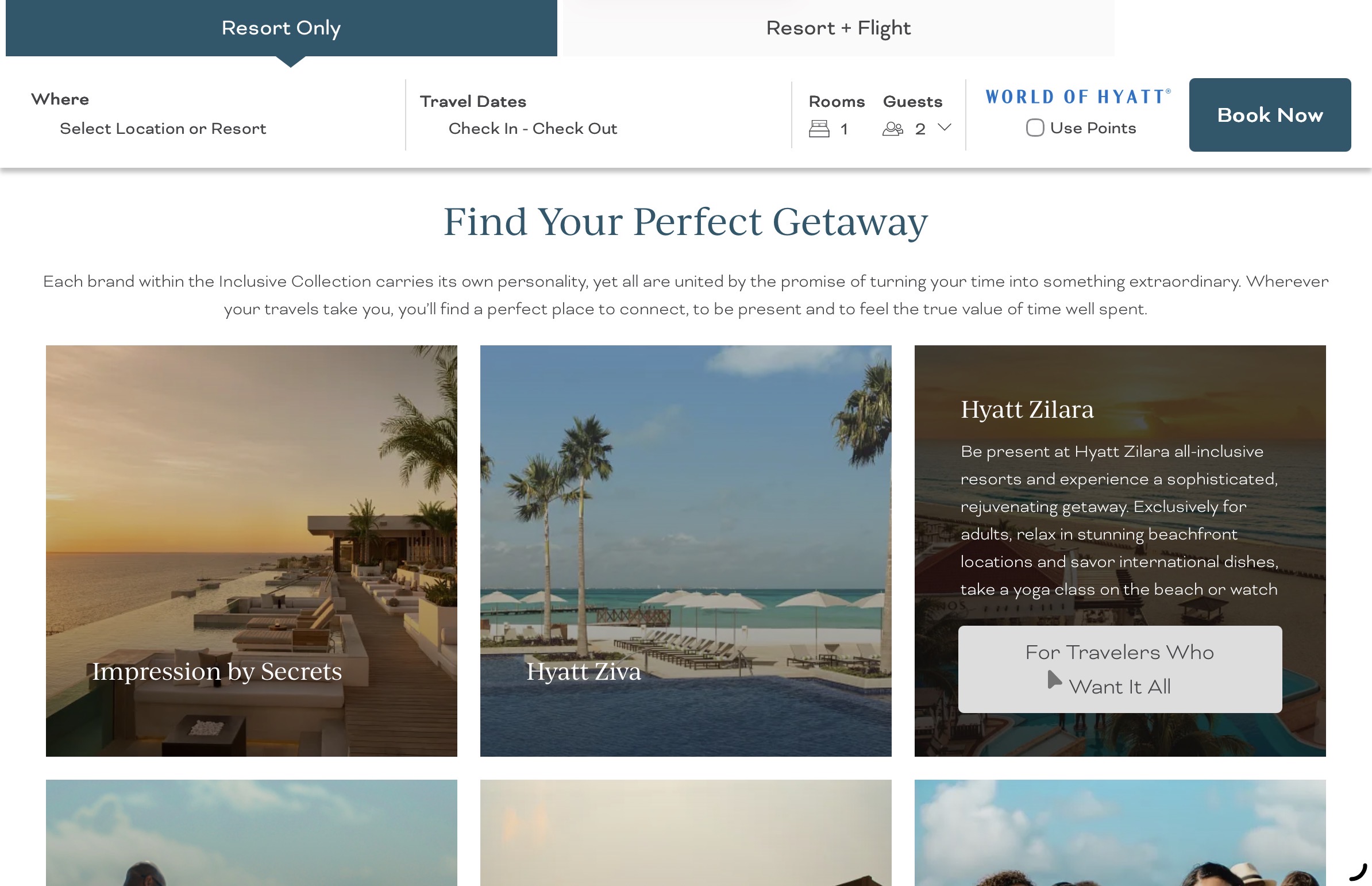
My task was improving the bookings of the Hyatt Inclusive Collection, the resorts. This was an initiative that was a fast follow to my competitive analysis which identified a number of options from other resort companies. I worked with the business side to prioritize these options and to start designing and testing these improvements. One of the first initiatives was to improve the interface for families and to split out the adult v family customers based on the Personas I developed.
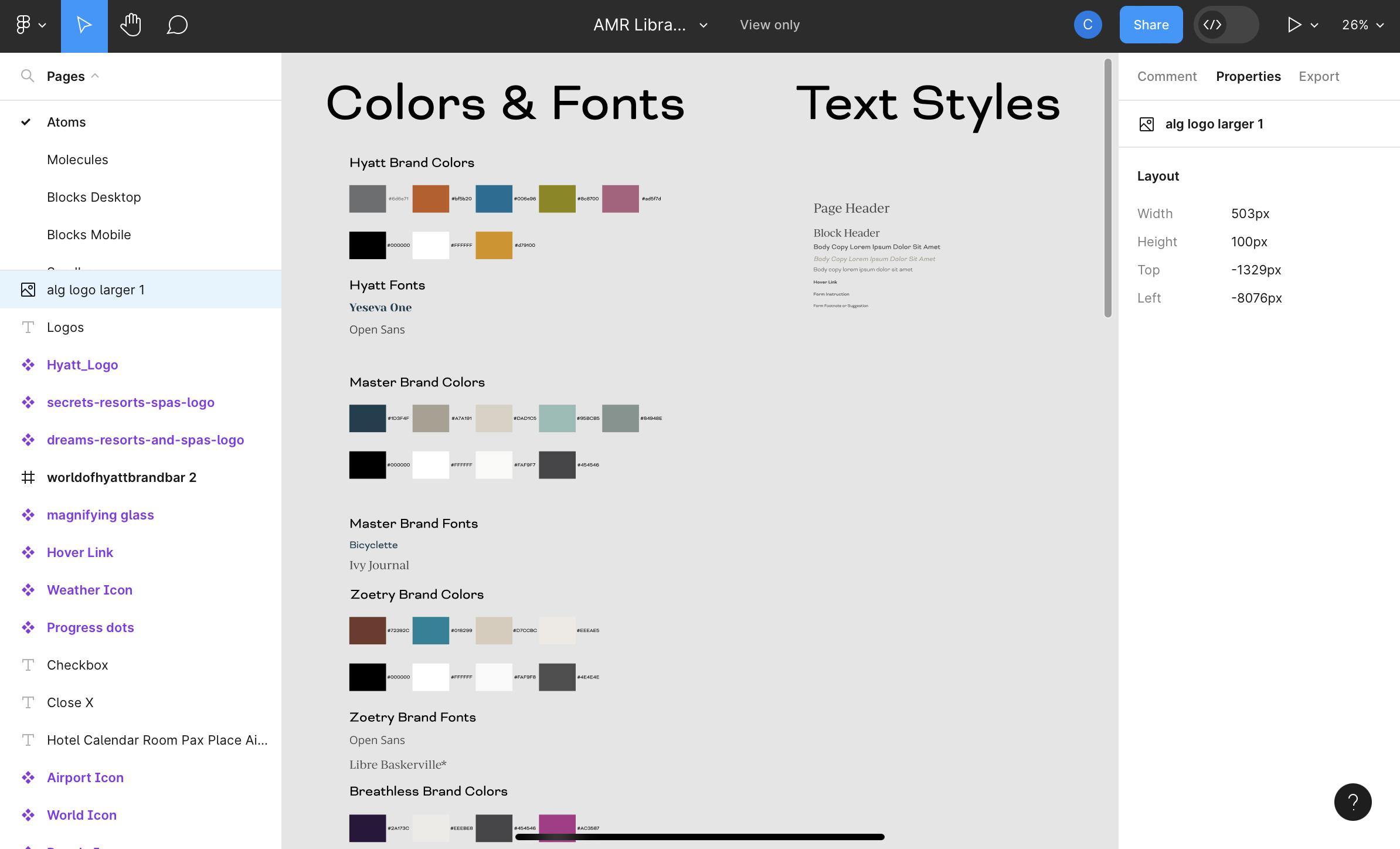
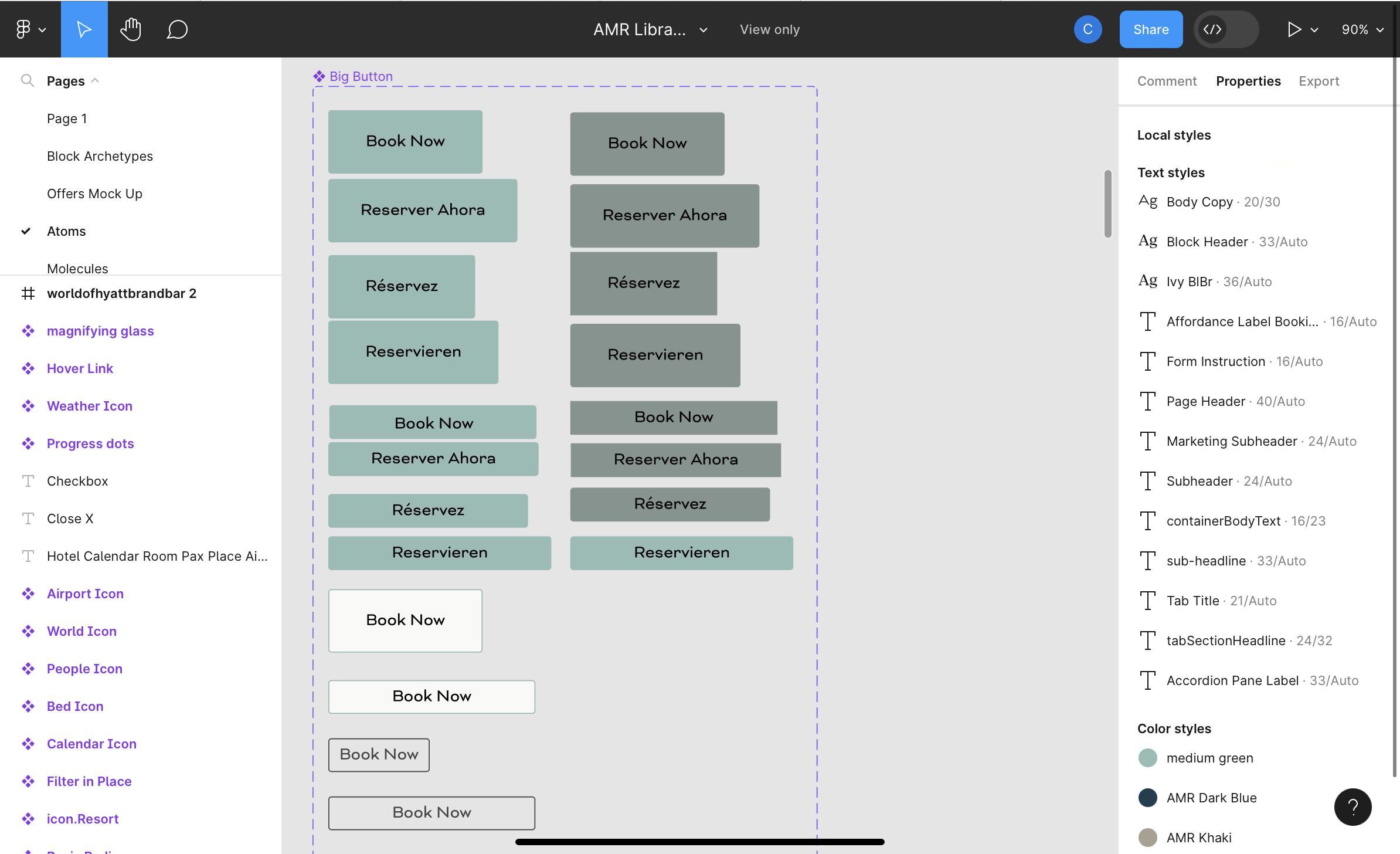
These designs were done while AMR was transitioning to Hyatt, so some of the designs are somewhat hybrid. The design system included multiple brands, so to keep the system coherent, I concentrated on style based tokenized variables rather than using variables to determine the platform (mobile v desktop). The design system shown here is truncated a bit by my personal Figma license, which is not the Hyatt superpower license.
In my UX process, I interviewed customers and wrote a list of needs and user desires. I identified that customers were planning on group trips averaging three rooms with multiple adults and often children. The existing booking engine was concentrated on 1 room for 1 couple. This was especially difficult for the resorts that favored families.
I designed an expanded booking interface that allowed multiple rooms, multiple children, multiple child ages, and -most importantly- an option for adjoining rooms. This was tested with quantitative research over a period of two weeks and tested well. The only flaw was that the company was not prepared to include "adjoining rooms" as a flag in the database, so that element had to wait but the design is in place.
My favorite bit of trivia for this interface is the need to visibly distinguish one room from another so the number adults/children in each room is known. This led to a problem because there was no standard "room" icon beyond the usual bed icon. I needed an inclusive element that could contain the interface elements and be immediately recognizable as a room. I did some very deep research and found the "bet" as in "alphabet." It seems "alpha" comes from a pictograph of a bull and "bet" is a pictograph of "house." So when you say "alphabet," you are saying "bull house."I used the bet as an enclosing icon, which, when tested with users was immediately recognized as a room. The only question that came up was one user that noted the "door" at the bottom of the bet was not adjacent to the following bet, which to him meant that the rooms were not adjoining.
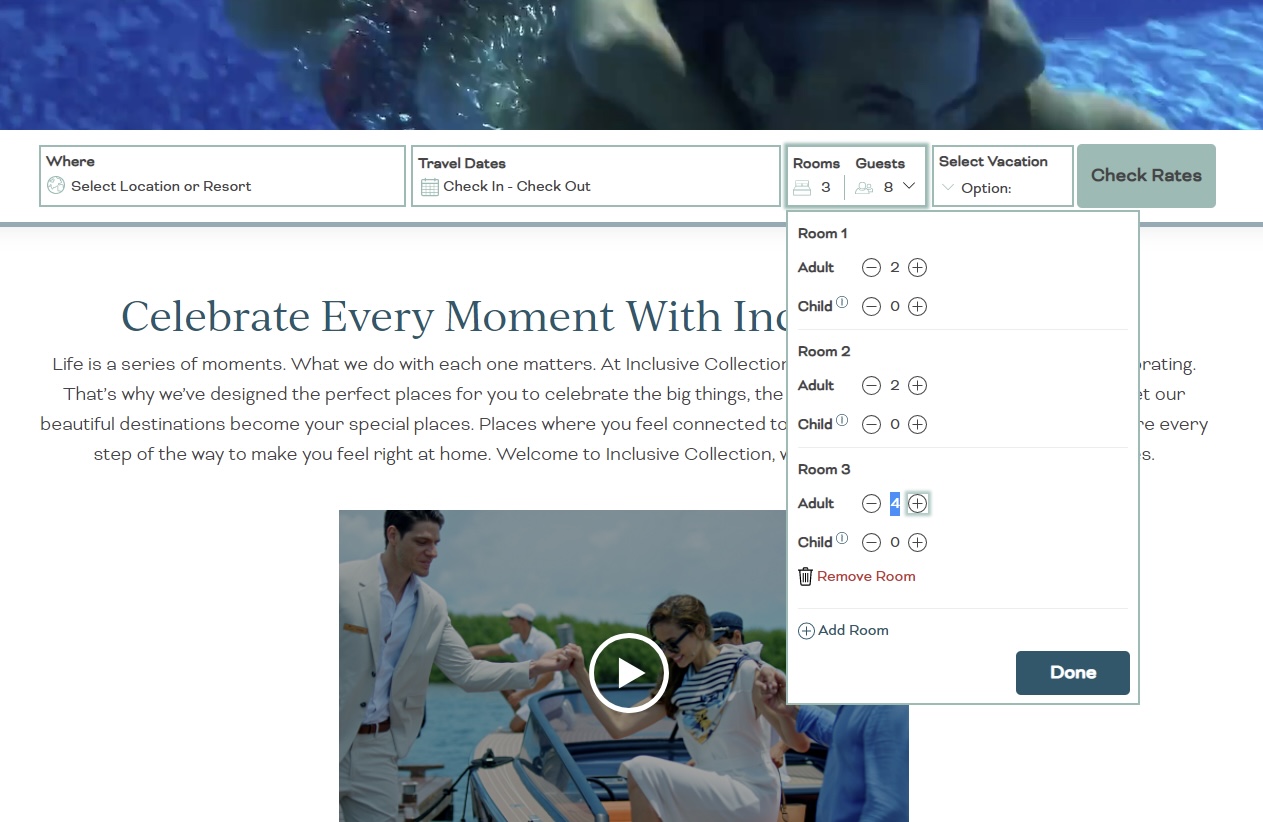
Simultaneously, I was introducing a tabbed system rather than a checkbox to allow for bookings with airfare. Hyatt, like other companies, discount their rooms to create packages with airfare in order to entice users. The existing interface was a checkbox which led to two different user flows. My design instead allowed the customer to operate a simple tab and to continue with the extended reservation interface.
According to the A/B testing, this interface led to most of the improvement in user success, but in the long term, I suspect the split between family v adult resort goers will bring more dividends as the customers become more familiar with these options.
A quick explanation - This is a project for Amstar, a subsidiary company that sells airport transfers and excursions. I was in the division responsible for the Inclusive Collection, Amstar, and the Unlimited Vacation Club.
Hyatt wanted a refresh AND they wanted to get more cross-sales. Their checkout system was a bit jagged, but nothing too disturbed. The biggest problem in checkout was that they had a cart system but didn’t really use it. You chose an item to buy, then went to a “cart” and then could choose checkout, but there was no real affordance to continue shopping. There were also minor issues with pax, extras, and so forth, but those were easily corrected.
My ‘big idea,’ though, was to make the app more of a travel planner. Amstar sells airport transfers as well as tours, and they wanted to up the number of tours they sold. It occurred to me that once the customer picks an item (excursion or transfer) we know quite a bit about their plans to upsell the opposite item.
If they buy an excursion, we can infer that they are vacationing in the area of that excursion and we can suggest other excursions nearby in the dates surrounding the one booked and remind them that we can make the transfer from airport to hotel easy.
If they buy airport transfers, we really know a lot - we know the beginning and end of their vacation and we know the hotel in which they are staying. We have the opportunity to sell excursions from stem to stern.
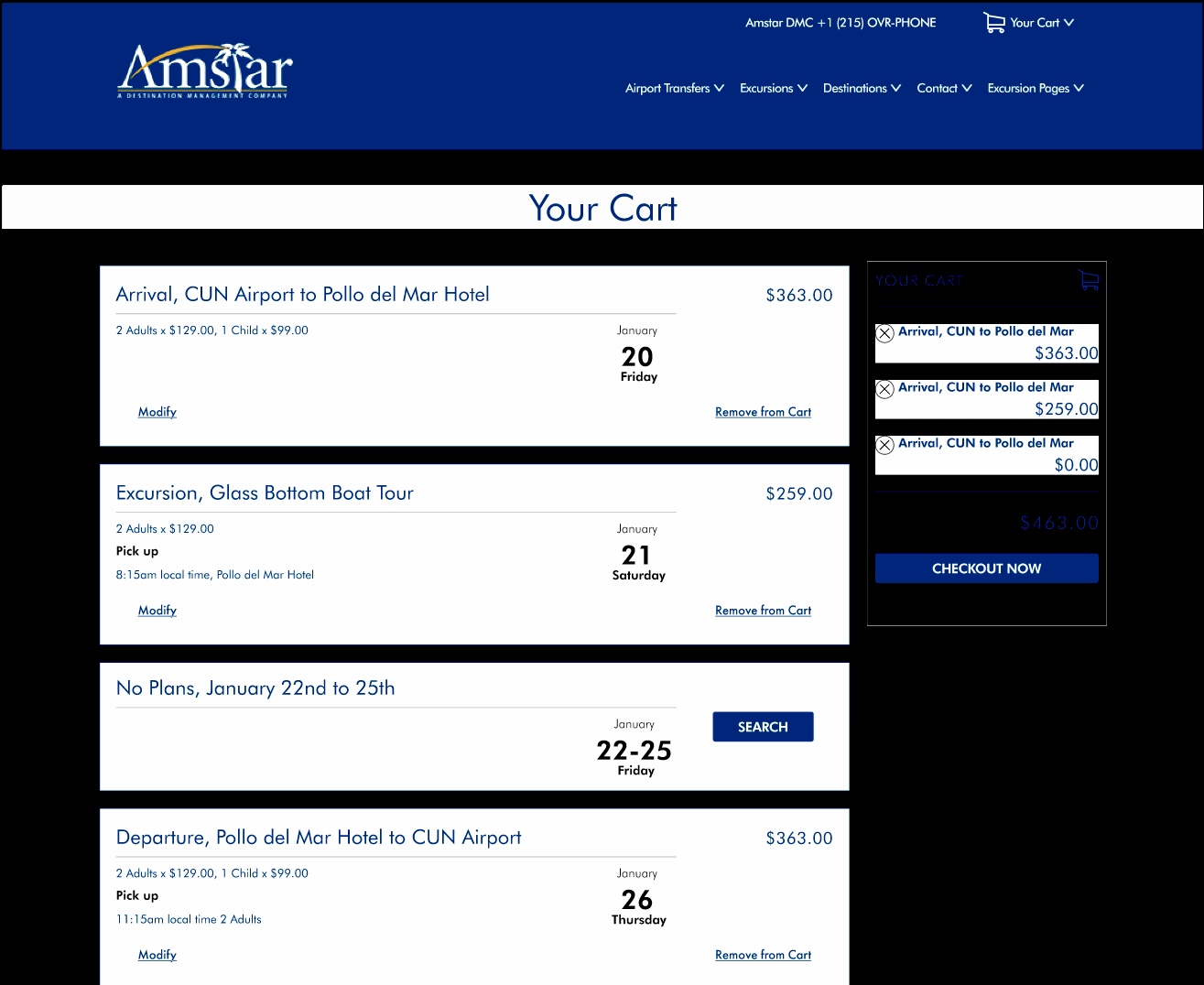
At first, I created an actual travel planner - partially using my own previous work  for my ux exercises on my blog. I did a quick paper prototype and tested it with users. In my content design, I made sure the customers knew they were going to a company that did airport transfers and excursions, which was the first design’s Achilles Heel - customers were expecting a transfer company, not a travel planning company. That moment of hesitation and confusion meant the full planner was not idea.
The first tests were disappointing. The users were sometimes confused as the layout looked somewhat like a calendar when they were expecting a checkout. Once they were informed, they understood the change, but I knew I could not rely on supplementary education, I had to redesign.
I simplified the design to be more subtle and more visually a checkout system The idea was to make it a reminder/tease with preloaded search buttons. We just use dates to remind the customer that they booked a transfer, now what are they gonna do for a week? Or, alternatively, ‘hey, you booked a boat tour for Tuesday the 25th, why not snorkeling on the 26th?’
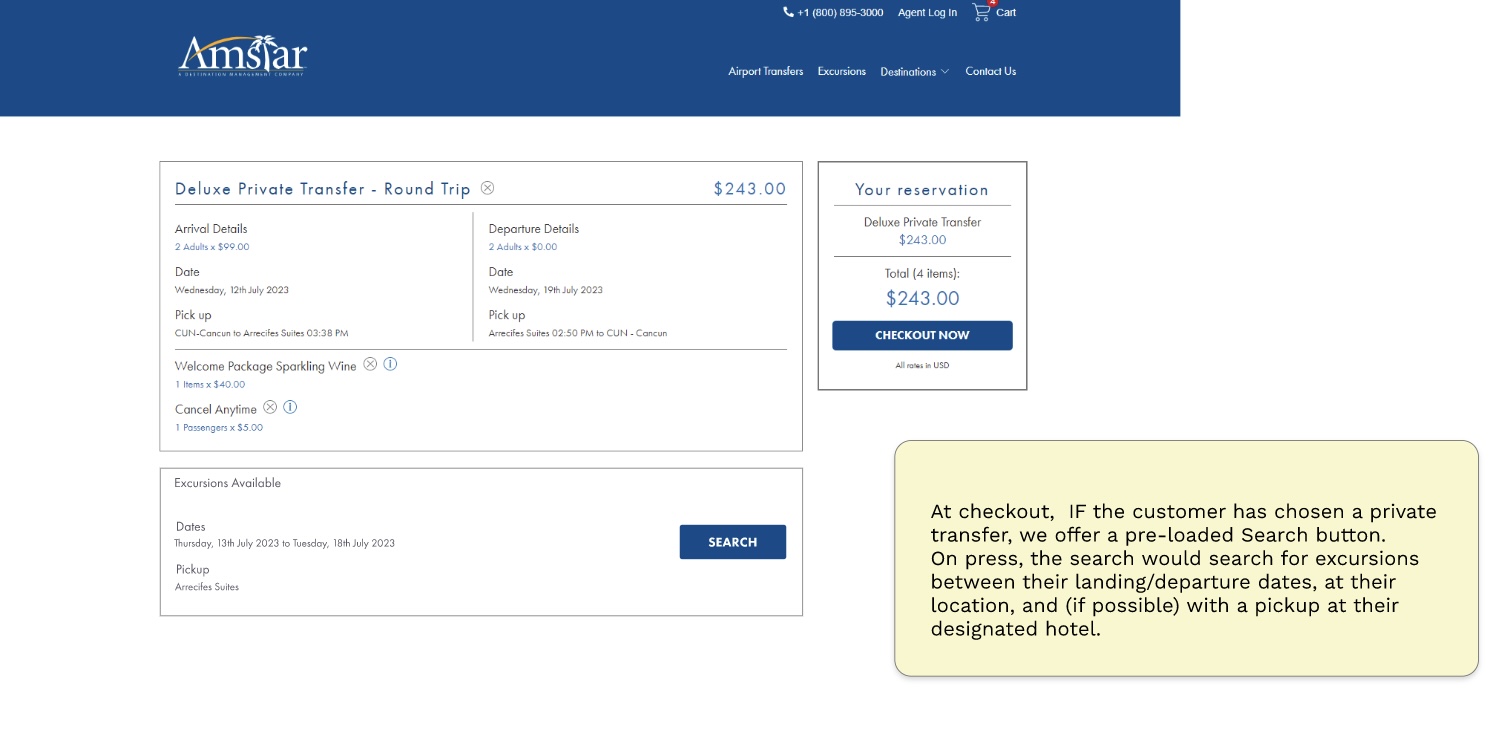
The re-design tested well with users. For the most part they saw the calendar dates, and most importantly, it didn’t interrupt the flow toward checkout. However, business rules say zero friction between the user and checkout is preferred, so this experience was eventually refined further and placed to the receipt page after completing checkout, not prior as shown above. I also recommended the experience be added to confirmation emails and reminder emails.
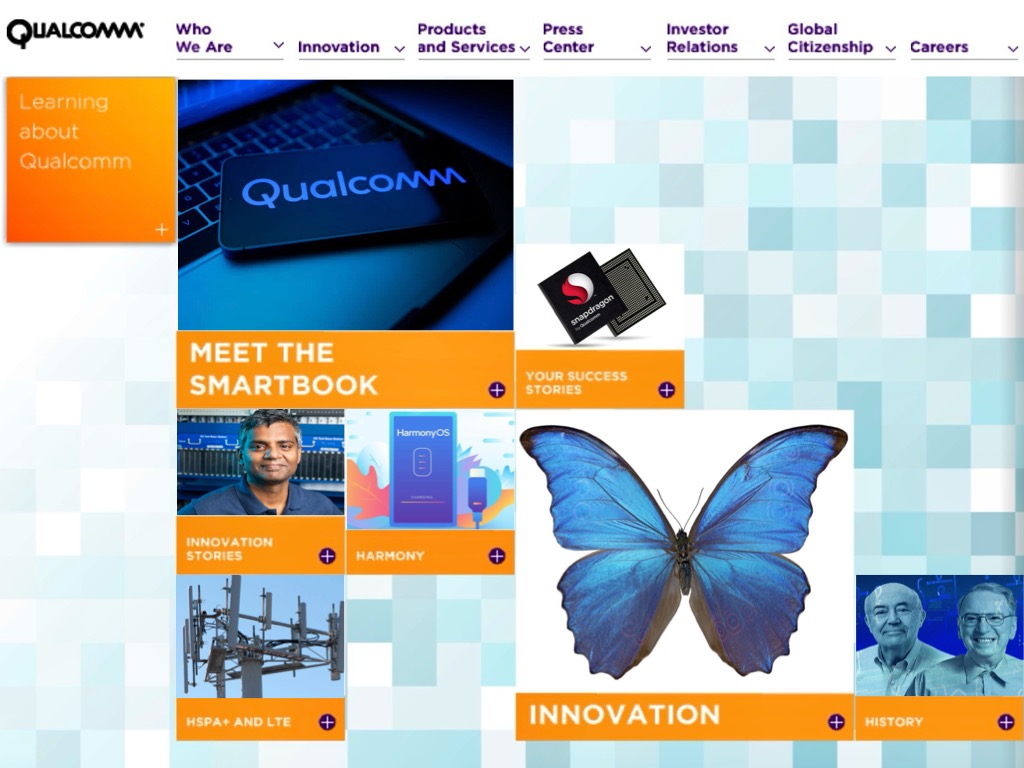
Qualcomm went from strength to strength, hiring the best tech engineers and patenting every invention. But Qualcomm had a problem. While their lawyers were the best and brightest, they were losing patent cases because the juries they faced had no feelings toward Qualcomm. In short, Qualcomm needed a human face to tell the inspiring story of innovation.
I first talked to the Marketing Department to get the zeitgeist of the company and to pick their brains for the users I would encounter. This lead to a set of personas, which had an interesting wrinkle: I decided to have one persona be decidedly antagonistic, so as the website continued, the 'put a human face' on the company would always be in mind. I chose a tech journalist as that primary persona (based on an interview I conducted).
It was creating the personas when I hit upon a strategy. There were many audiences, but each of them fell into two categories with one critical sub-category:
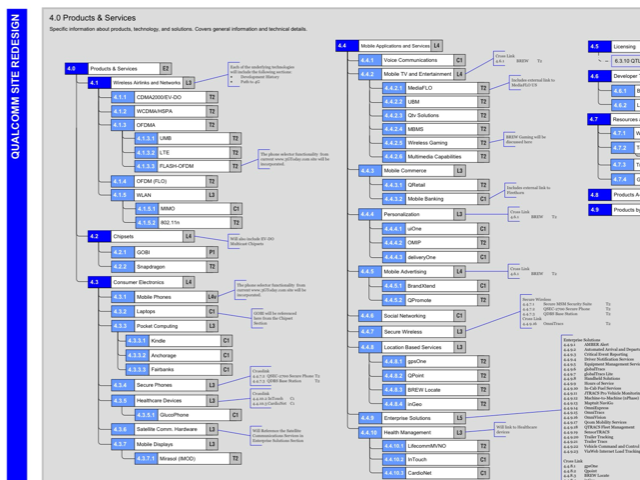
With that strategy in mind, I worked with the visual designers to create a two tiered website, one that was laconic and purely functional, and a second navigation that was more visual, appealing, and human. This was where Qualcomm could tel the stories of their star employees, their amazing inventions and their plans for the future.
Once the purpose and personas were in place, I took a look at the company structure to find common products and departments with an eye toward simplification. However, Qualcomm is a sprawling multi-national company with multiple divisions and hundreds of sub-divisions being serviced by thousands of employees on every continent. Ironically, nobody had created a full structure of the company before, so my IA doc became a bit famous among the executives because it showed a couple companies that Qualcomm had created or purchased that competed against each other in different divisions. The IA actually led to some restructuring of the company.
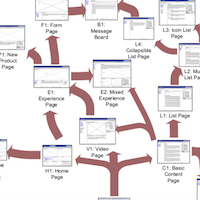
The website would include thousands of pages, multiple thousands of PDFs of technical documentation, investor information, careers (of course) and everything that can explain Qualcomm. It was a hoary mess, so order was needed. I started with a proto-page template with the navigation, content boxes, and each possible element that might be on the page. Each was defined with a letter for each section, the defining characteristics of each, and the parameters each object would have to accept. This later proved invaluabale when it came time to build the content catalog, which would sit in a SQL database. The copywriters were thrilled to know that, for example, Page 7.2, section G would fit into an L1 type page, and that it was free to contain any text or images. All templates were defined outside of the design, so the copywriters were free to just write.
As I defined the page templates and the structure of the website, it occurred to me that there were variations on the proto-page, and were actually sub-templates of templates. Each page structure was then re-defined as a version of the parent. The areas that were different (the DNA mutation) of the sections would then be used as the human language name of the page, and each named page would have a letter defining the template (List pages were L1, L2, L3 for example.) This led to my favorite part of the QCOM functional specification doc - The Template Evolution diagram.
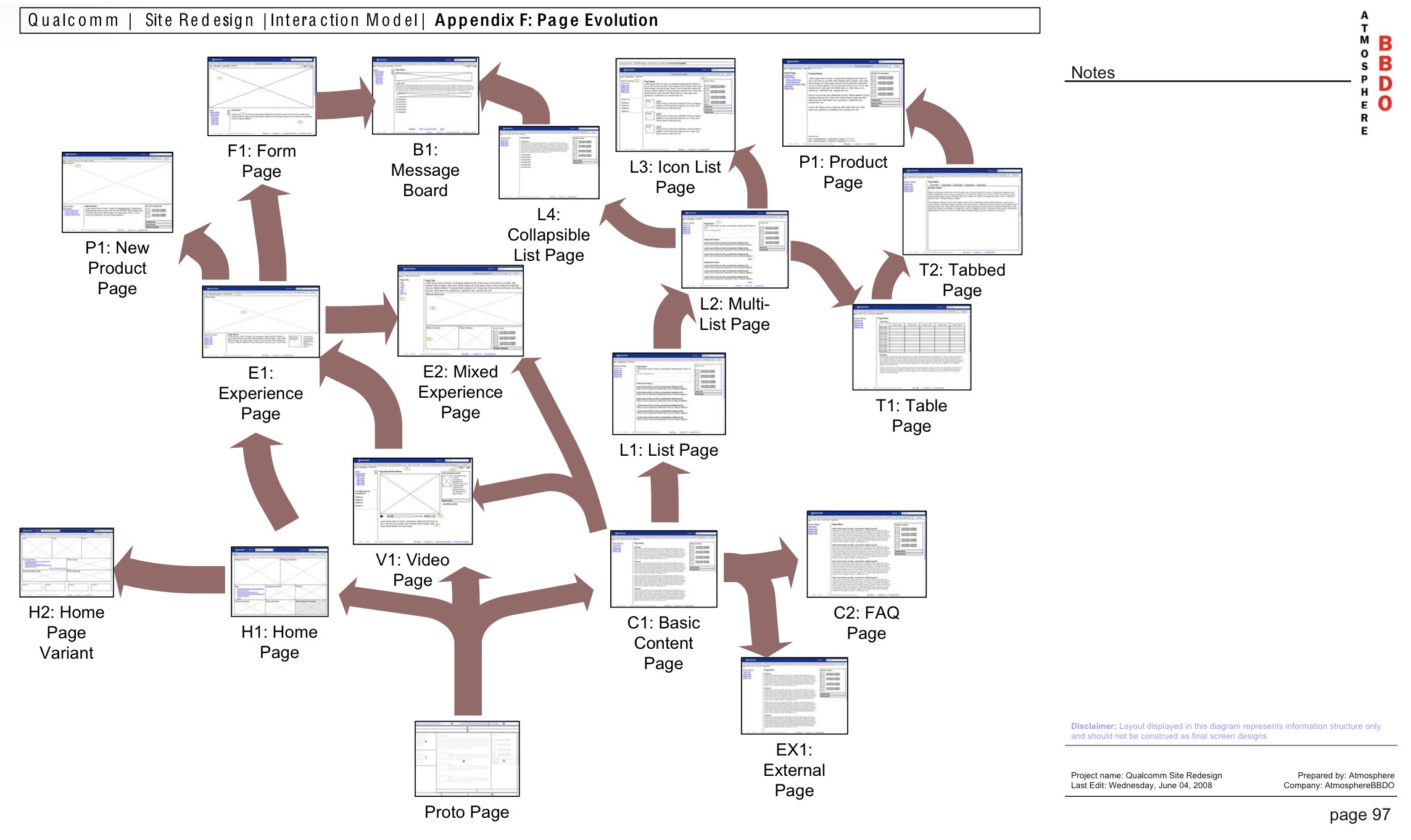
This diagram proved invaluable for the developers as they were planning their work. If the evolution tree is followed from trunk to branch, it is a blueprint for creating the page structure and components to each page.
$5+ million added to bottom line by fixing credit card payment system, Digital in Store Shopping app produced, vendor management tool improved, Idea Lab concepts produced from idea to implementation.
I genuinely loved working at Macy's. Every morning I would get into an elevator alcove that was so old it had a brass plaque that read "button calls all cars," placed when elevators were relatively new. I relished the challenge of dragging a legendary company into the digital age.
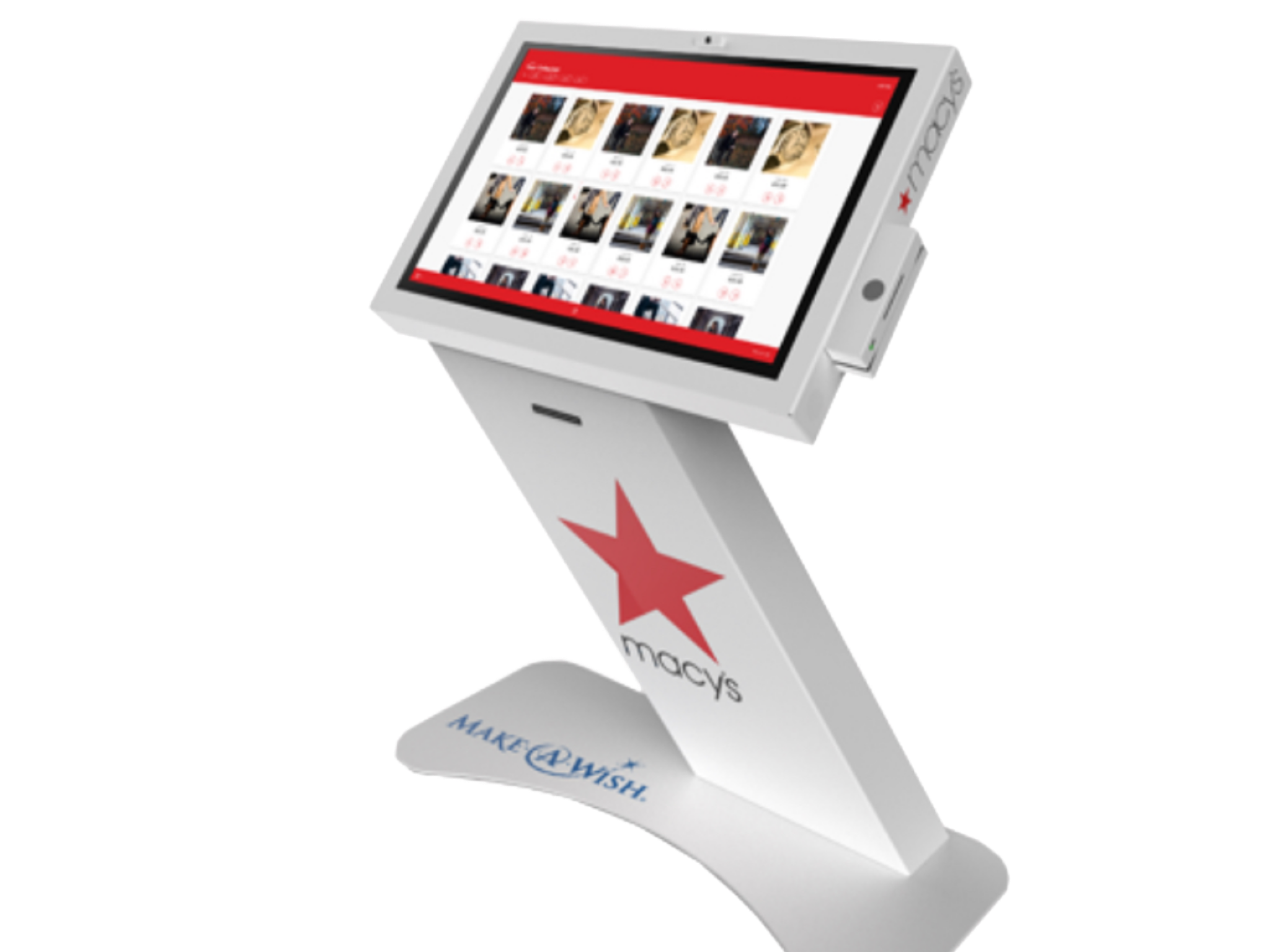
I was hired primarily for the digital-in-store user experience - shopping kiosks, associate handheld devices, etc. I presume that I was hired because of my experience designing the ATM for Citi, and was recognized as an expert for touch screens.
I was also the UX expert for the New York "Magic Lab" where we created new, innovative experiences for internal startups. That was my favorite project - quick sprints where few boundaries existed and the team talked though all aspects of the new business proposal quickly and to the point. We worked on the principal that for the first segment, no idea was too crazy, nobody could say no, and then in the second segment we edited for money, time, reality. Finally, we sprinted to the end and built what I would call real magic. Idea to product in front of customers in 8 weeks.
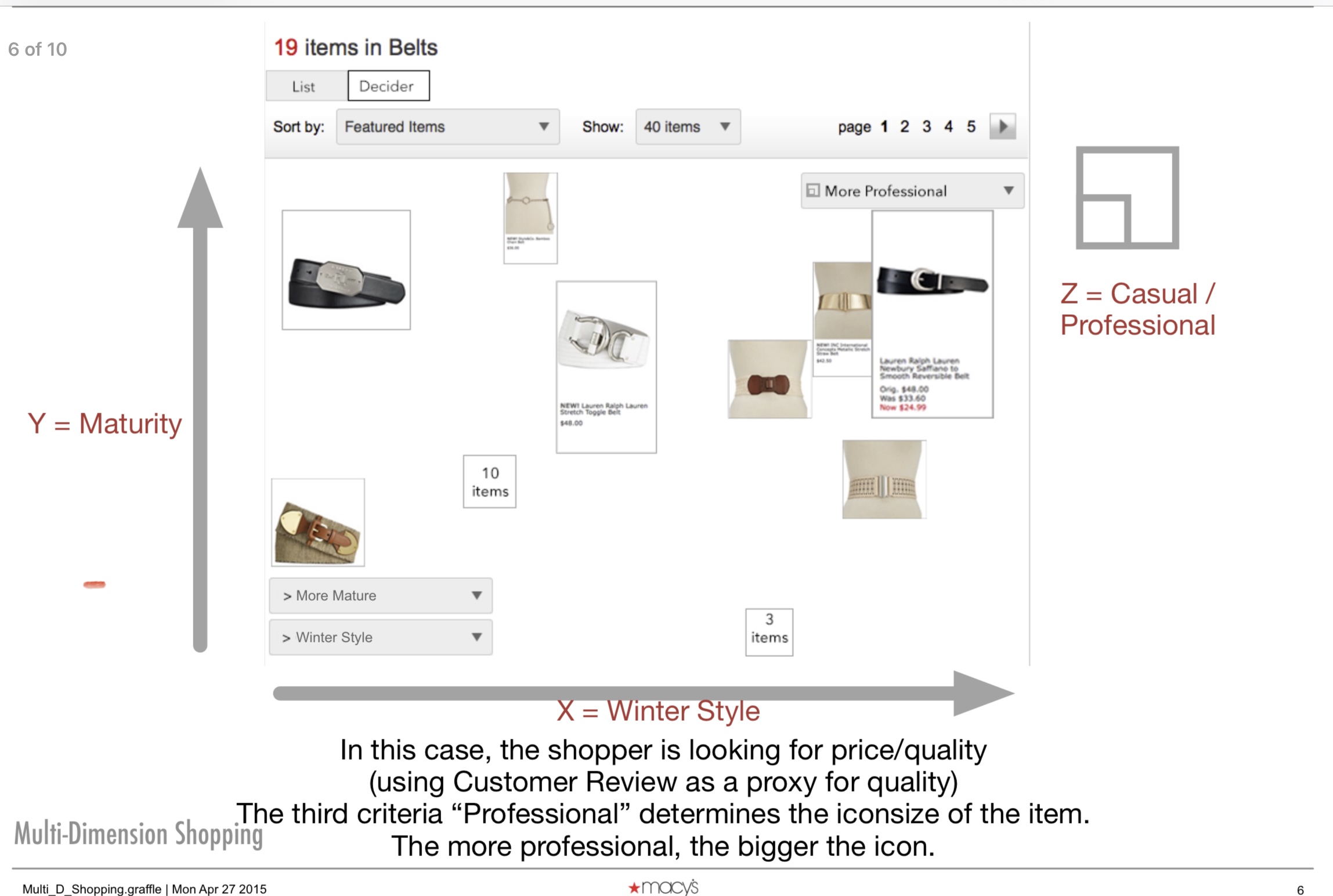
I am the proud originator of the 3-D Shopping interface, called the Decider. It was a concept I created and presented in the Magic Lab, which allows the user to hone in on exactly the product they want, based on dimensions that they choose.
One of my normal projects was to design a new interface for engagement rings. This was going to be within the normal Macy#apos;s design system as well as their Wedding Registry system, so it had to be a very loose and easily inheritable design. The biggest problem was the enormous set of rings that we had to show the customers. Several hundred diamond types indexed by dozens of ring settings means the user had multiple thousands of possible rings.
My initial design drew on the 3-D Shopping idea, by presenting a "viewer" that let the user see the massive collection and give the user the tools to narrow their search down while looking at the massive grid of possible rings.
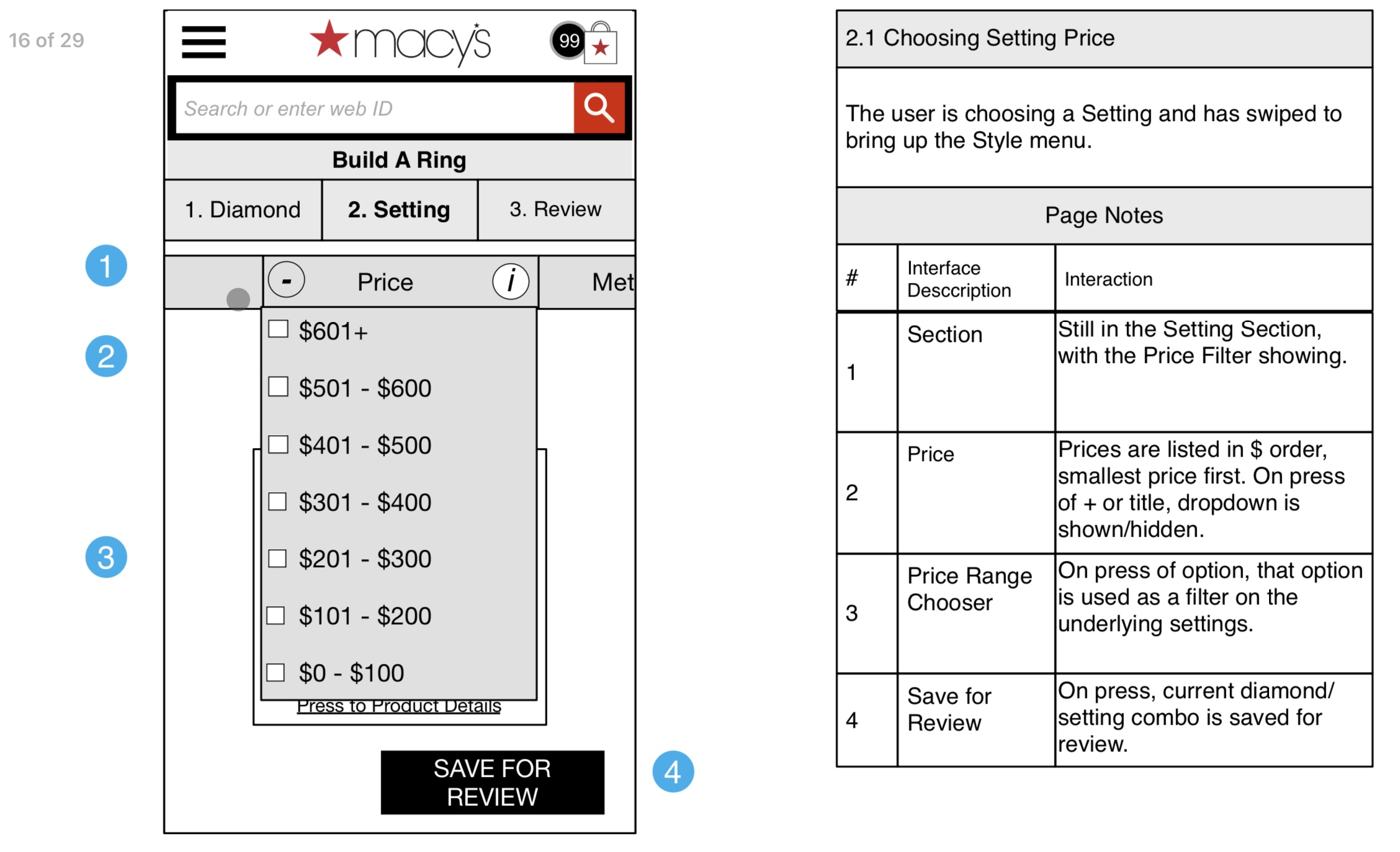
This solution did NOT test well. Customers understood the filters well, and got to a few hundred rings, but from there, progress stopped. Customers did not like the grid, did not adjust the filters to cut down the results in the chart, nor that the zooom was available.
I did not want to give up on the idea of the user swiping rings. I was working on something akin to the "swipe left" to dismiss model that dating apps were using, but I needed another dimension to let the user get the full ring/setting.before they could swipe to dismiss.>
After a handful of iterations, I started working on a quick prototype, partially for user testing and partially to prove to myself it would work. It was a bit of luck or happenstance that I put one row (the diamond) inside and independent of the outer row (the setting), turning the x axis 90 degrees so the swiping would be all vertical for smartphones.
This allowed the user to narrow down their rings to a set of diamonds and settings and then swipe up or down, "creating" all of the possible permutations. This interface was further refined by opening up the customer camera, letting the user see the ring on their hand.
It was then I discovered that the tech for finding a face with cameras was well known and available, but the tech to discover a ring finger did not exist. As a consequence, the ring is forced to remain in the center of the screen, which, in my testing, is not a major issue.
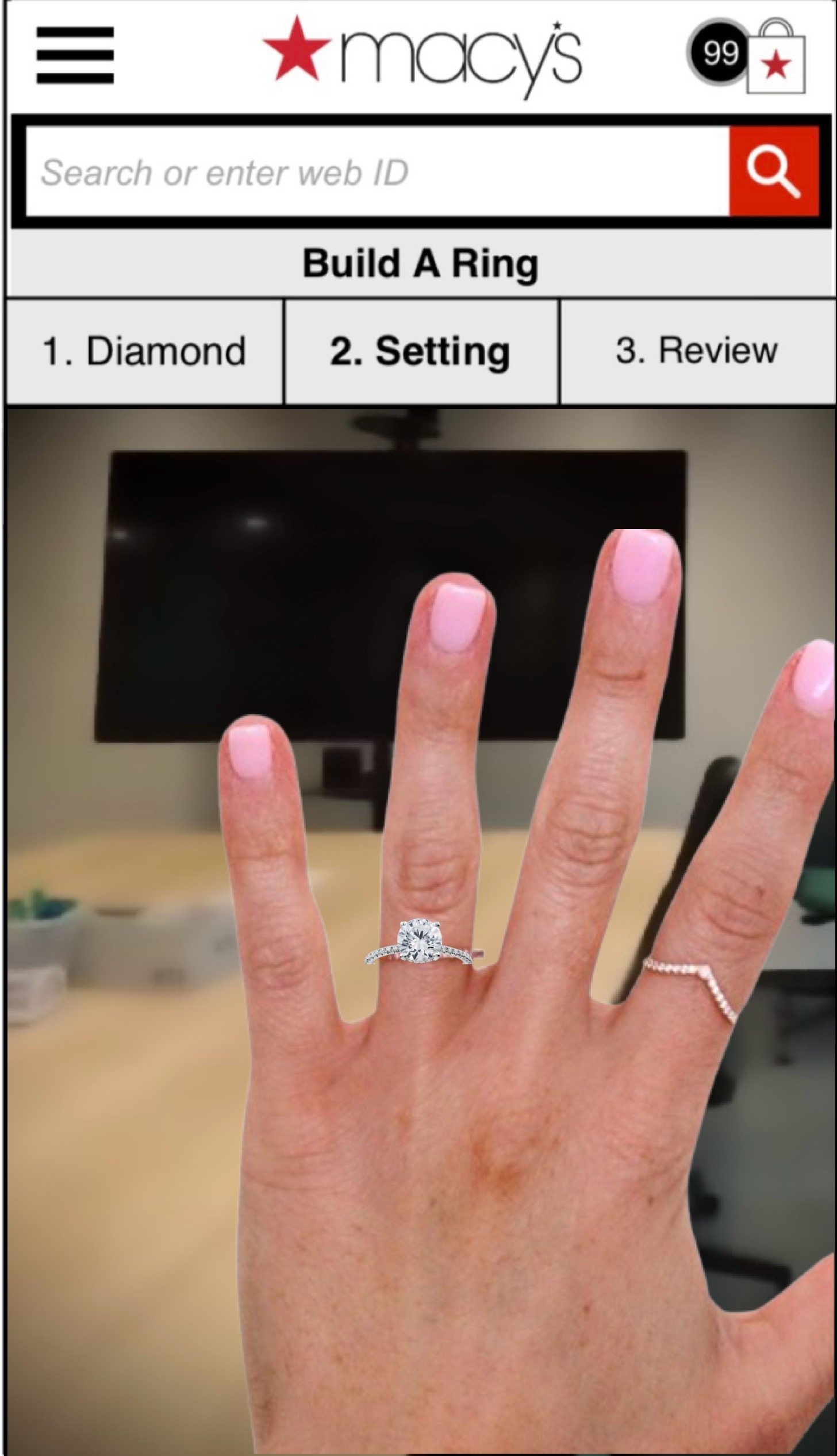
I compromised and let the ring just appear in the screen center and let the user adjust to make it "fit" in the scene. Not ideal, but that is what was available at the time.
This interface tested very well, and there was some evidence saying that people were playing with rings just to try it out.
Fun fact: One of the benefits of working at Macy's is that you get to take part in the Thanksgiving Day Parade. I got to be a balloon handler.
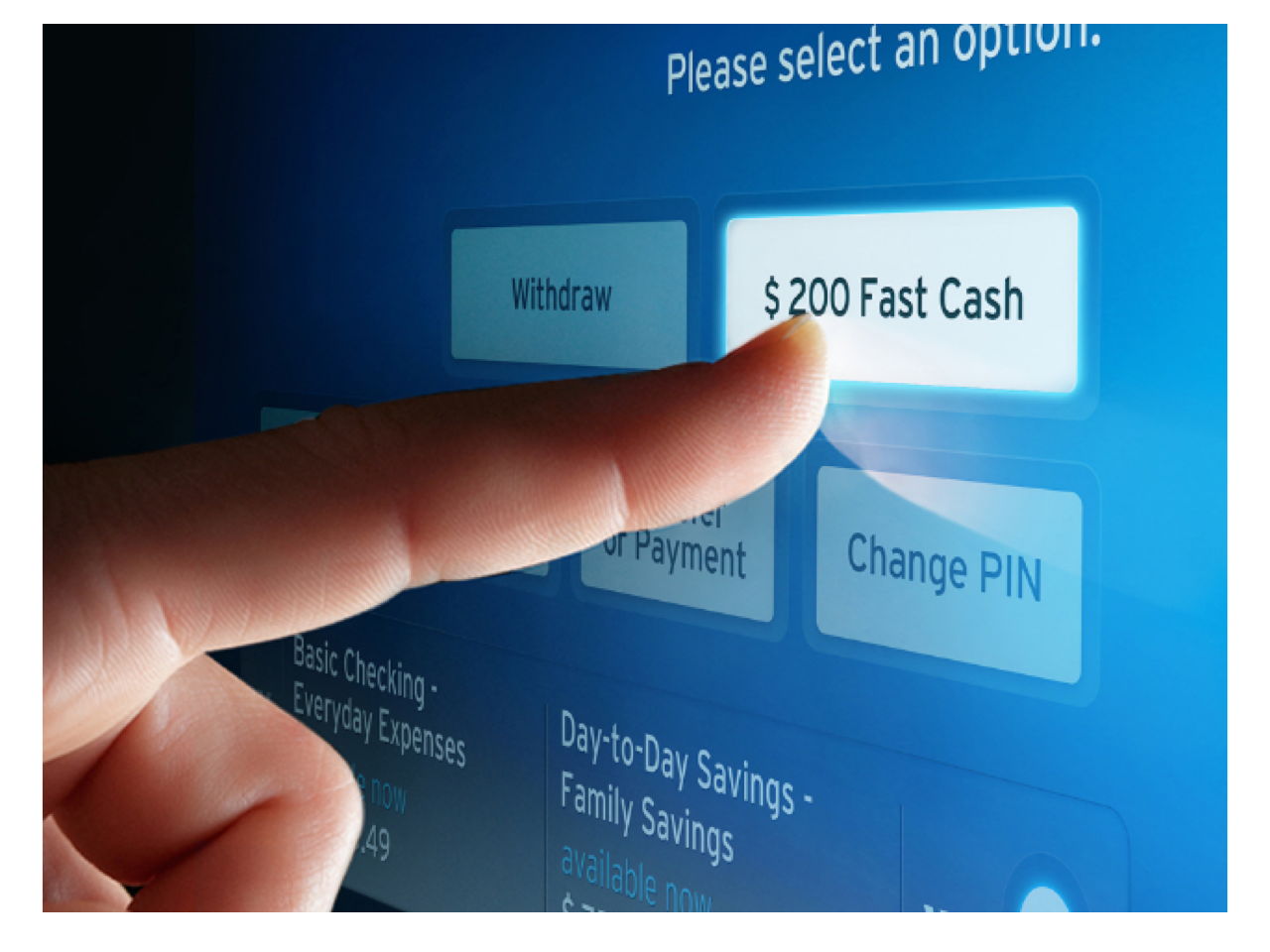
A strategic goal was identified, mapped, and the first congruent ATM improvements were redesigned, "Done" button invented, visual withdrawal invented, 150,000 minutes of idle time saved per day.
"Major International Bank" wanted to update their ATM as part of their "Smart Banking" initiative, and as UX Lead, it fell to me to feel out what the client “cutting edge, but not too ‘out there’”
I talked to a number of ATM customers and discovered the biggest challenge was not redesigning the interface, although that was the tactic needed, but that customers saw the ATM as a utility - something to be tolerated, not an interface with opportunities for delight - and that contradicted the "Smart Banking" initiative. Any student of the Kano Model knows the danger: If there are few opportunities for delight, the overall experience will be neutral or negative.
The bank had extensive research on customer needs, but very little specifically for the ATM, and the ATM experience is very different from banking in person or online. First, there is pressure for speed. There is also a fear of crime - most specifically the fear that the next person will hit the magic string of numbers and get access to your account.
More important, the experience of the ATM was far removed from the experience of a bank teller. The ATM was impersonal and "utilitarian." Citi wanted "more delight" for the ATM experience, and when I talked to customers, their choice was ATM for speed, and teller for more complex interactions. The customers also saw the tellers as more "personable" than an ATM, which sounds obvious, but it got me thinking - can the ATM be more interactive, more personable?
I spent some time imagining how the ATM and the teller could merge - my first thought was that the ATM could have a video camera/screen interface and "Big Bank" would employ tellers from their desks if/when they were not busy. This required a complex system of cameras and utilization servers, etc. while the teller was just 10 feet away.
I then recalled that virtual video was becoming a thing, and so I imagined several years in the future when a virtual banker could take care of the ATM requirements, while still providing a quasi-personal experience. That was something I could work with.
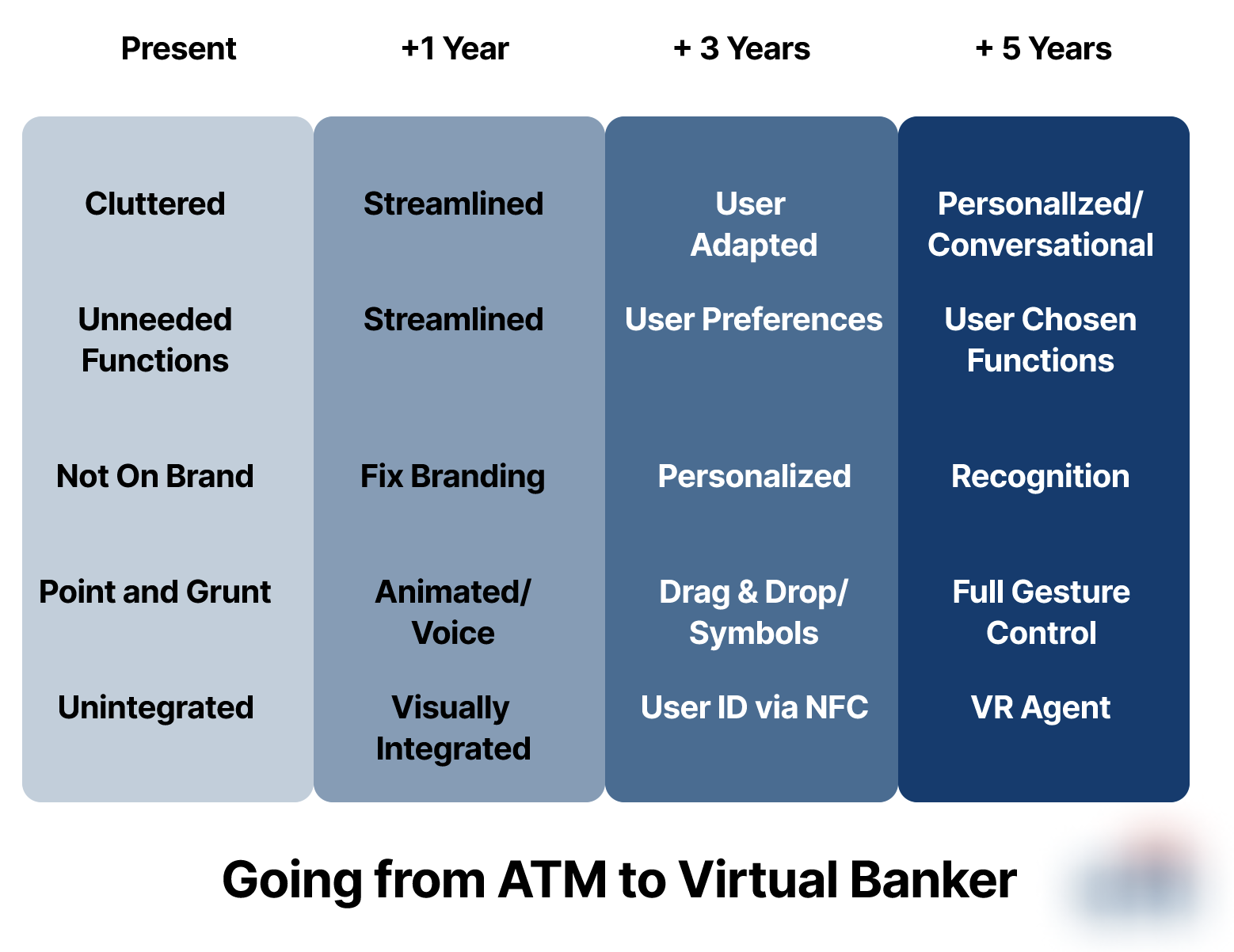
One of the critical differences between an interaction with a person versus a screen sounds silly when you hear it, but it is important: you can't poke people. That is a problem if you are designing a screen - screens are "Point and Grunt," while in person you talk and use gestures.
My plan, which I worked with the client to flesh out, was to move toward a "Virtual Banker," first an actual person connected via the ATM (and later the customer smart phone) but eventually a fully virtual assistant, an ectype that could be customized per customer. Because some of the ideas were unimplementable at the time, I created the multi-year strategy noted above. Each limitation listed as "Present" and then listed the final state as (optimistically) "+5 Years." I then created interim steps and created the interfaces for those where possible.
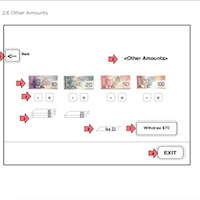
To move the ATM from "Point and Grunt" to "Greet and Help," I considered a number of possible improvements; a range of solutions from the revolutionary to the prosaic. One of the ideas I was especially proud of was a tactic to fulfill the gesture requirement in the above strategy, a "visual withdrawal " which allowed the user the ability to tap the image of the bills to build their withdrawal.
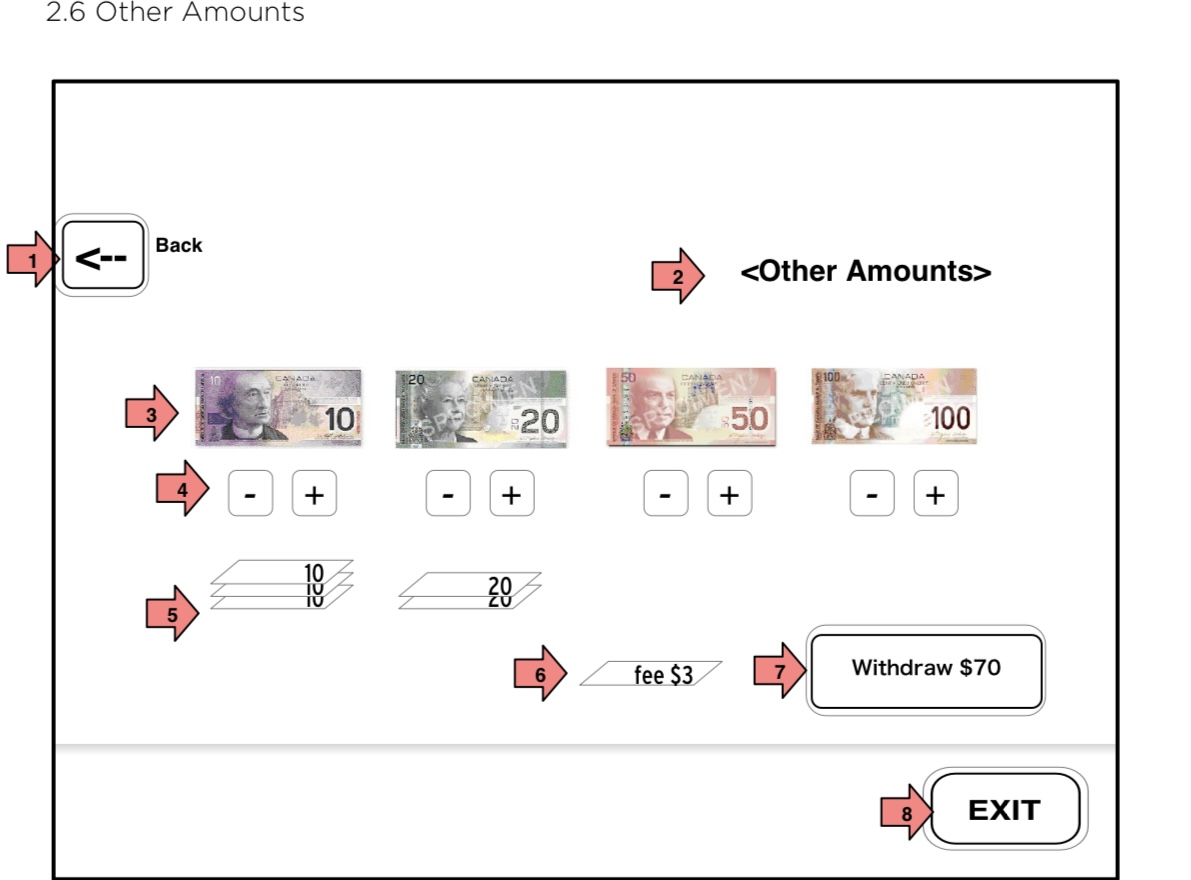
The visual withdrawal solved three user issues:
It is impossible for the next customer to recall your account and steal your money. However, even the developers who made the software will wait for the ATM to turn over before walking away.
One of the peculiar things - and a thorn in the "Virtual Banker" idea, was the need for security. Every user wants to be in total control of the experience at all times and be able to walk away confident that their accounts are no longer accessible.
The "Done" button was more universally accepted, which I knew from my Empathy Map, had the greatest payoff for the smallest cost because of the Peak End Rule and because it gives the user a sense of control.
The idea was simple: give the user a button that 'flips' the interface to the Home Screen, allowing the user to walk away confident that their account is 'disconnected' from the ATM. My research had shown that no amount of education would change this behavior, and the done button would require the user to focus on any advertisement shown to ensure they were not agreeing to something.
By giving the user control at the end of their experience, that small joy of control would give the user a positive memory of the experience and because of the Peak End Rule, their overall experience would be positive. This was proven later by subsequent user acceptance testing.
The time savings of the Done button is minuscule, but when experienced by 3,000,000 users per day, the time savings hits more than 100,000 hours of time saved.
Just as important, it created a finite experience in which the customer believes the system is not functional when they are not present. This would be further enhanced if/when the "Virtual Banker" was implemented. The banker would acknowledge the end of the experience with a wave or a good bye or similar AND once user customization is implemented, that virtual banker would be customized to the user, offering a second level of trust.
Integrated Media Intelligence (IMI) is the app I designed for VMS, Inc. It is what I termed a "MediaOS," in that the purpose of the application was for marketing executives to track and report on their media buys and the resulting news coverage.
VMS offered them content from every TV station, Newspaper and Magazine in the USA and Canada. It was a Google level of hits, and a Google level problem.
I interviewed a selection of clients who were using the current app and documented their biggest pain points. I discovered the biggest issue was the fire hose of information that they had to deal with. Each client was sold keyword searches and their primary job was to work this data to find important coverage to show the results of their marketing. This was typically 1000+ 'hits' per keyword, and the marketing exec was tasked with wrangling this overwhelming set.
Another issue was the difficulty in systematizing their work. Each day they had to customize their searches, refined their picks, and then build the report. As one client mentioned, she had to arrive at work by 3AM to get her daily report ready for 9am. I told her we would fix that.
Finally, I noticed that the current app didn't have a sense of "flow." Each step was a discreet interface, each had different rules and operations. This did not give the user a sense of control and did not give the user a sense of where they were in the process. Given that their job was high pressure, high responsibility, I deemed this a critical issue.
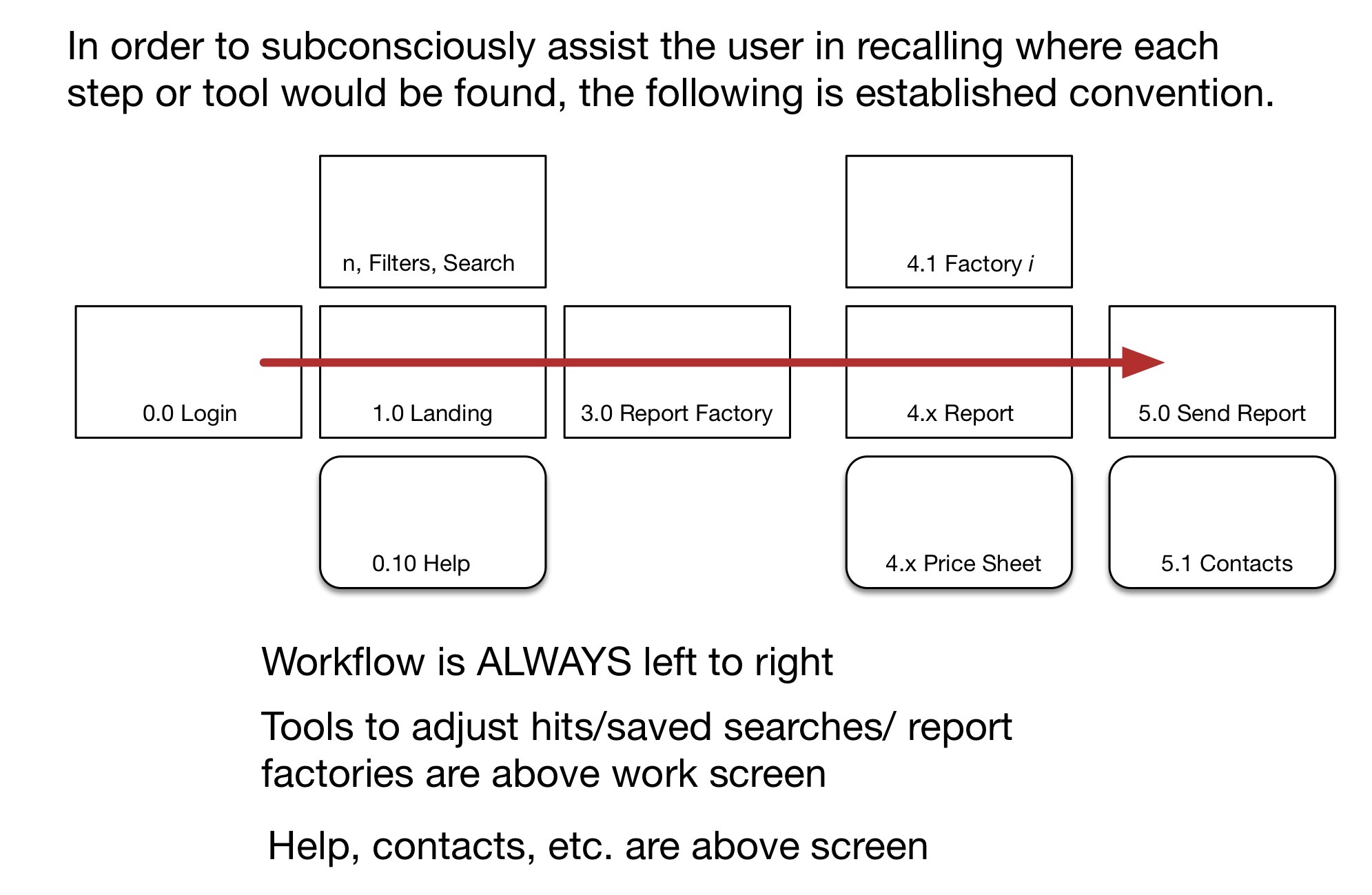
First, to assist the user in more complex interactions, I resolved that the interface would be drag and drop. This would allow more of a 'thought to result' than an interpretive interface, allowing the user to concentrate on the process and results rather than keeping track of items they wanted to operat on and with.
Second, I decided the best way to give the user a strong sense of continuity in their process, the interface would be consistently left to right. This was a bit of a risk in that the interface would have to allow for going "back" while still allowing more detailed work in situ - the steps would have a consistent left to right, but the intra-steps would have to be in overlays or in the current screen.
Visually, this allowed for a nice touch - having the folders on the right to begin with, and then when the user selects a folder, they would then see the individual filter as an icon, and when "closed" the interface could collapse the folder and move back to the left.
Once the user was done with folders, they were then able to 'crank' the folders to the left which would open up the space for the report icons. The user then proceeded to drop folder(s) on the icon to generate a report.
To solve the problem of re-doing work, I created "smart folders," the icon representations of saved search parameters. This, to me, seemed a simple solution, and the icon for those searches was differentiated from the normal folders.
To pivot, I added some instructions for the live folders, and made smart searches an optional feature that the user could create if wanted.
During testing, I got one of the best compliments from a client who saw the power of the drag and drop interface and exclaimed, "I'm Superman!" This turned out to be somewhat true in that the process went from six hours for a daily report to just two hours. Monthly and quarterly reports were almost equally quick.
Smart folders did not test as well. While the concept was being rolled out by Microsoft and Apple, it was a new enough experience that the users were nearly all surprised to see new hits in a folder.
I pivoted and de-emphasized the smart folders - except the "New" folder which was always well understood. The Smart Folder concept was deemed valuable enough by the company to retain, but was demoted to an option for users to engage as needed rather than a default part of the user flow.
There were a number of design concerns as illustrated below. The users were able to design their own screen colors/icons/fonts etc. and therefore the interface was largely a blank canvas.
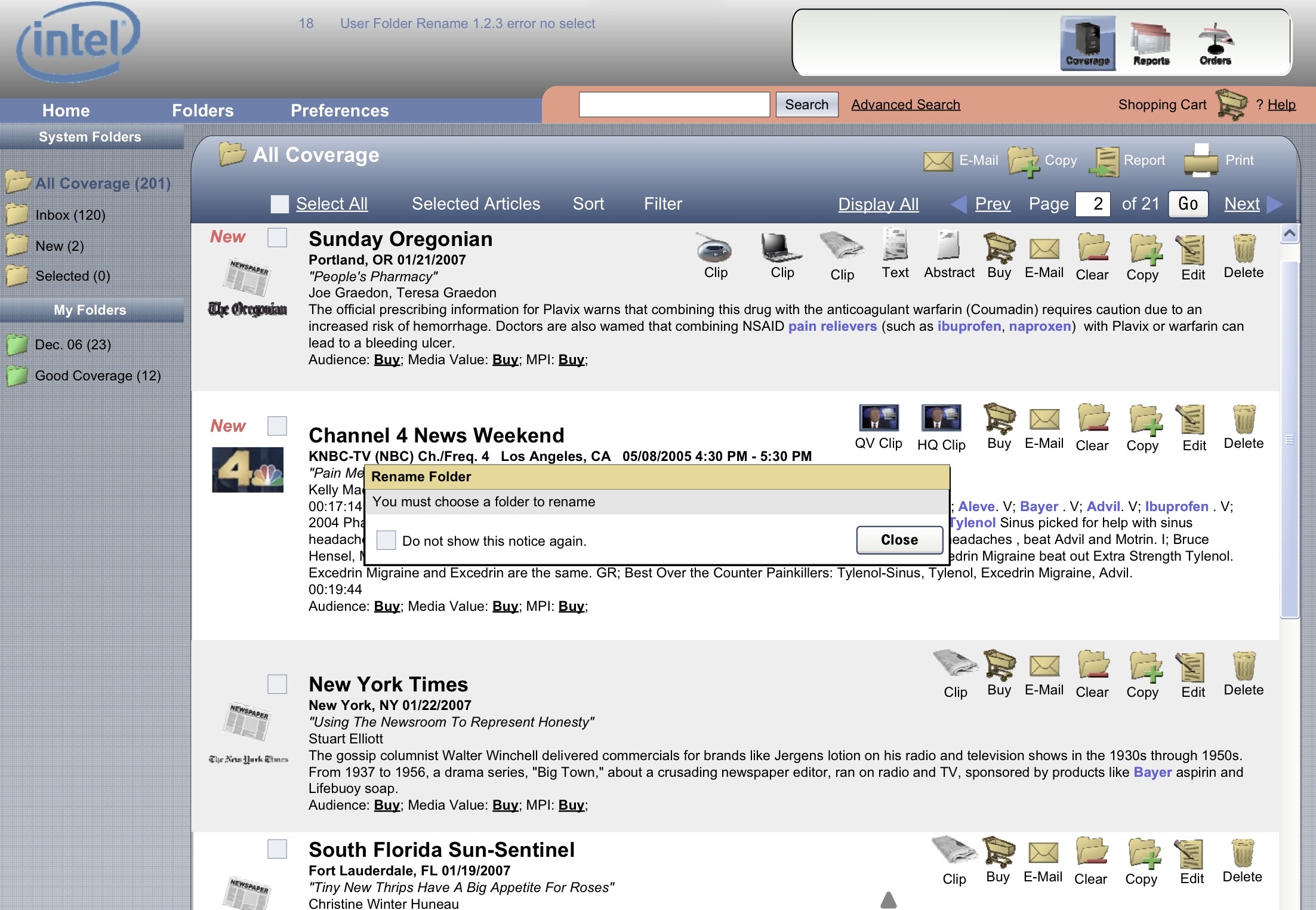
I am not responsible for the visual design of this screenshot. The app allowed skins, so this is a client version.
I supplied the users with design guidelines and suggested palettes, but some of the customer's interfaces were ... interesting. Luckily, the flow was not affected.
Such a shame. Skiff was an eReader that was going to challenge the Kindle and the iPad. It got a great reception at the CES conference, and it had great technology behind it.
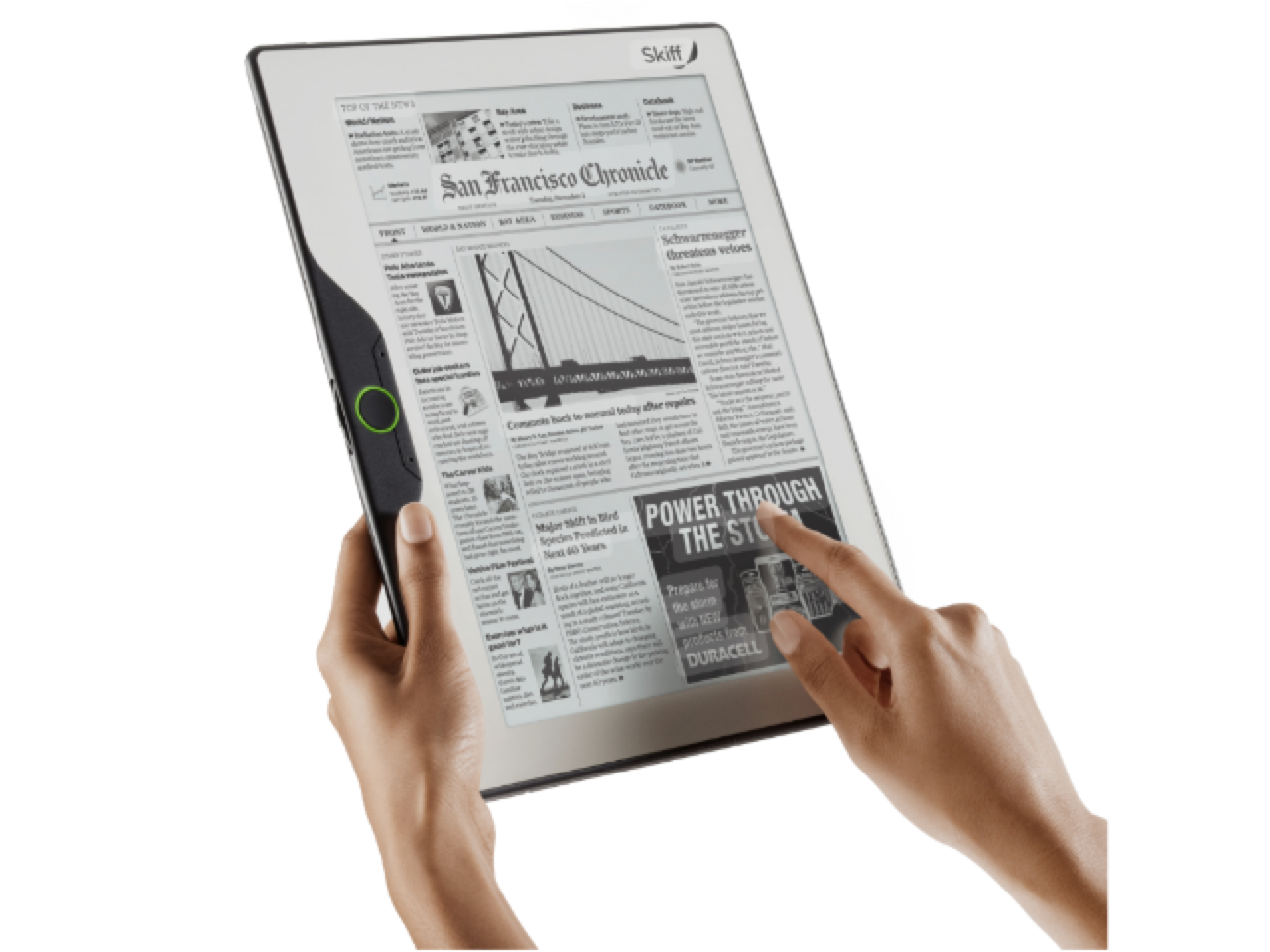
The idea was to gather newspapers and magazines from the web (or partner databases) scrape the data of any formatting, then reformat the articles in the same style as the newspaper or magazine but now chunked for eReading.
The app needed a complete toolset that let the user do more than just read articles - notation, bookmarking, etc. I also got to create the settings section for the app, which presaged the iPhone Settings app.
Sadly, the startup burned through too much cash and wasn't able to build the hardware in enough numbers to make it feasible, so the software (my part) was sold to Newscorp and became the foundations for their app called “The Daily”
Consistent, learnable design system and dynamic prototype created.
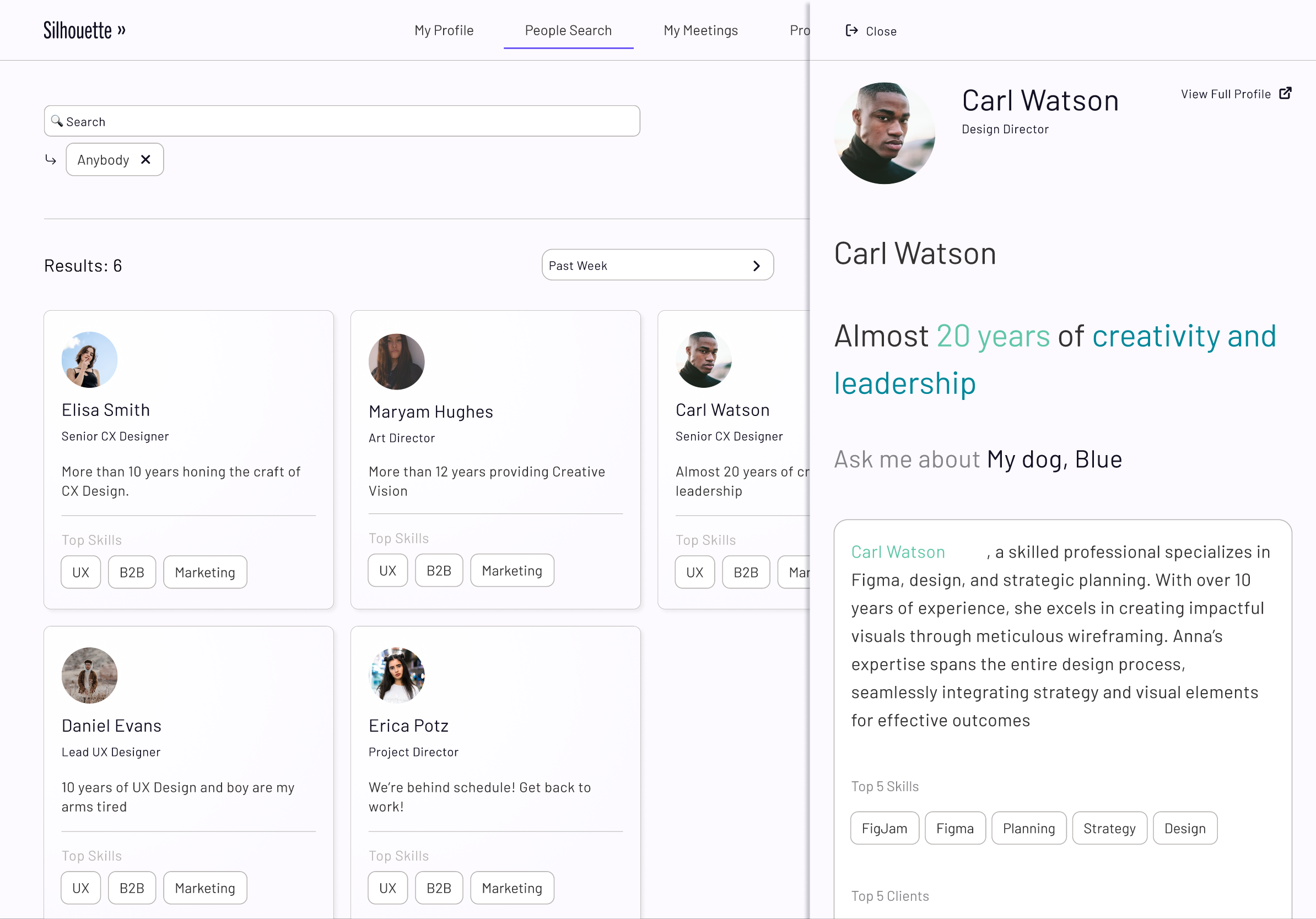
Silhouette is an AI startup. The concept is to have an AI agent listen to meetings to keep notes, record conclusions, and rate the contributions/expertise of participants. Each critical interpretation will be prompted by the AI, but confirmed or overturned by human beings.
My job, in addition to consulting on the UX, is to create the design system which will present a consistent but customizable interface. Each company that purchases the software will be allowed to use their own design parameters, which will be included into the design system, allowing for a morphable but still inherited consistent experience.
The design system uses extensively tokenized variables (font, layout, padding, margins, etc.) so each aspect of the design in the prototype is both a variable used in styling the interface but is also aliased as a user editable variable. If the, for example, the user wants to change the font used sitewide, they only need to change the main font to point to a variable representing the desired font. As a demonstration, in the app, you can choose "Beach" interface which will change the colors, the appearance of images, and the font used system wide.
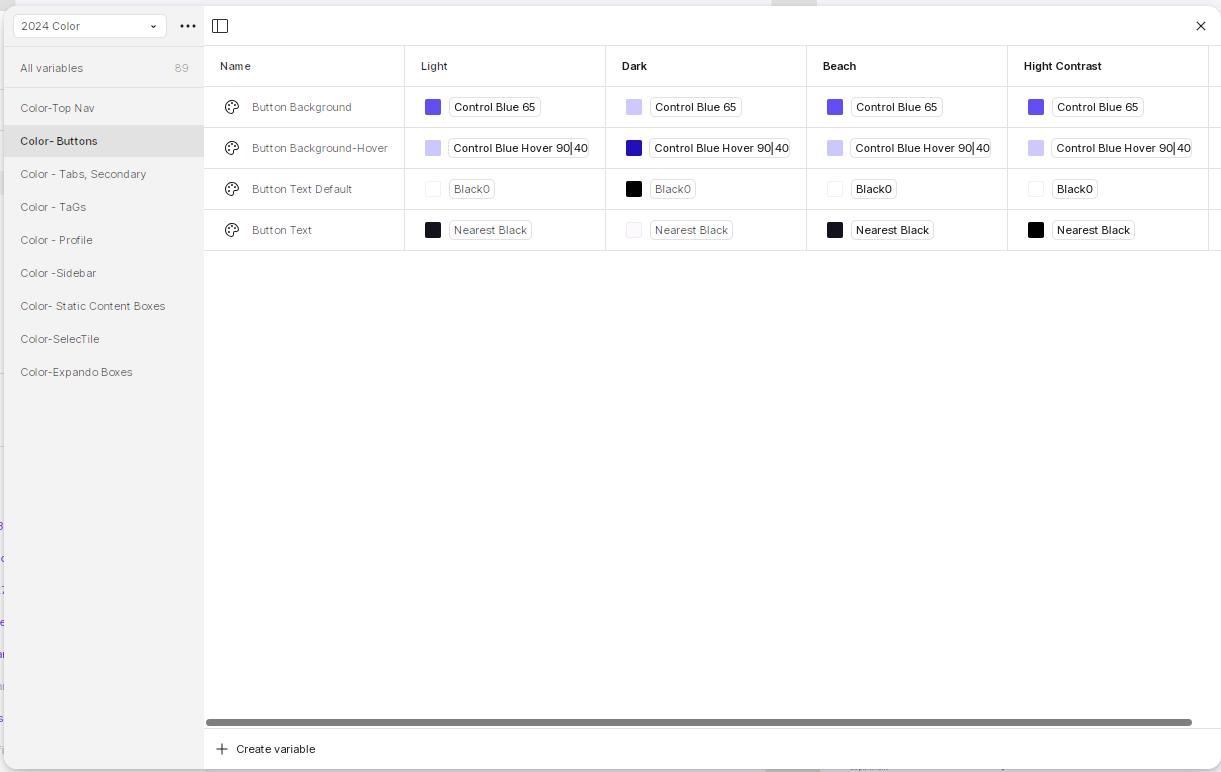
Further, there are affordances in the admin module to 'break' the design hierarchy and create design elements that are specific to one company or on section of the interface. This complicates the hierarchy somewhat, but any risk is mitigated by tokenized variable so the 'naive user' isn ’t editing variables but is instead defining points to new variables.
In the prototype, note the consistent but polymorphic design widgets. For example, the "Show top 3 but click for more" element is used for Skills, Education, Awards, etc. This widget morphs into a larger search interface which, unlike the smaller one, shows all the matching content. BOTH widgets use the same elements to display information, but are transformed by their context.
At one time, (mumble) years ago, I was purely a visual designer. Technically, I was a student at an actual old atelier that traced its lineage back to Rembrandt and Caravaggio. I was a Creative Director, and a damn good one at that. I created the online visual designs for billion dollar companies. In retrospect, I probably could have remained in graphic design and made a good living playing with color and typography, but I decided UX was where my interests and talents converged.
I can still wield Photoshop with the best of them, and keep an old copy of Adobe CS to play with. I am presenting some of my visual work purely because some jobs conflate UX design with graphic design, and I do not want to lose out on those because the vast majority of my portfolio shows UX strategic work. Plus, this is a bit of fun in an otherwise largely somber portfolio.
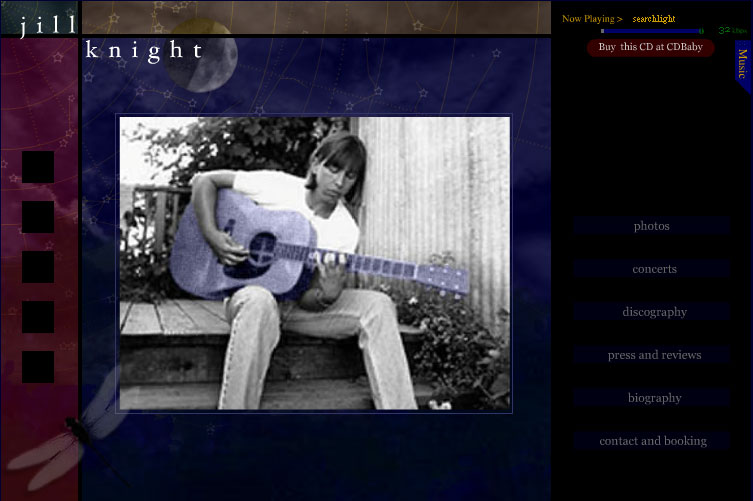
One of my favorite visual designs was for the singer jill knight. My intent was to convey a concert under the stars in California. The website plays jill's music as a soundtrack, and includes a basic MP3 player in a tab (not shown). If you don't interact with the site, it plays a whole CD and does a slideshow of jill's work.
Even more fun, the moon (upper left) will acutally go through phases, the stars, though graphically sylized, will occasionally wink in and out as they are "occluded" by the clouds, and if you spend a long time on the site (an hour), the dragonfly will flutter its wings. I love little Easter Eggs like that.
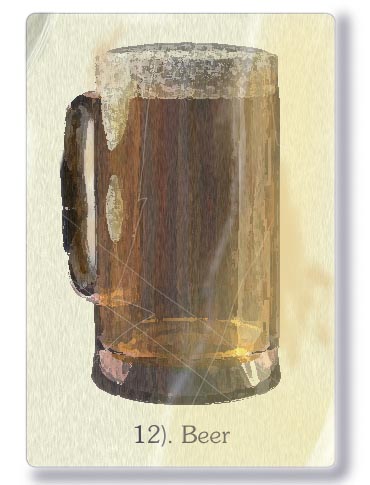
The above image was done entirely in Photoshop.
Everybody and his sister can do "modern" design with photoshop, but how many can reproduce non-digital asset styles? I can. The above was for an alcohol board in Alberta. The idea was 'alcohol spotting' as opposed to bird spotting. That meant a series of cards for each kind of alcohol (wine, beer, scotch, tequila, etc.) to promote going to buy alcohol.
The style is meant to evoke the illustration style from the 1940s and 1950s, which were done in a process called photogravure. All of it, beer, foam, glass, even the slight refraction of the handle attaching to the cylinder is due to my study at an atelier and transfering those skills to the digital realm.
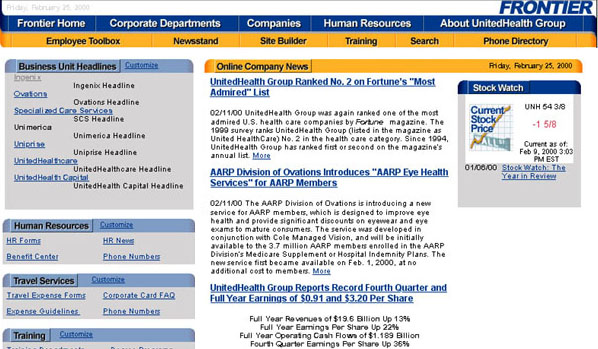
Coporate Design? Check. I designed websites for GIGANTIC corporations. The above is the Frontier, the intranet that I created for UnitedHealth. The Blue and Yellow were specified by the corporate deisign guidelines, the rest was my work.

Cool Design? Check. Yes, I created a version of the Bad Boy Records website back in the day. This still is from an animated GIF I created for them. The animated version included police blue and red lights on this 'scene,' the logo is stylized to look like a police badge, a 'Bad Boy' badge.
This is the one and only time I was vaguely associated with "cool."

Occasionally, I'll do work for friends, in this case the Frozen North writers' collective.
The idea was to convey the loneliness of the writers in Minnesota and the upper tier. A cool dark blue wash with a single light on in an attic office does nicely.
Even more subtley, the blue and yellow are the colors of the Swedish flag, again connoting 'north' and to put the reader in the mindset of quality stories.
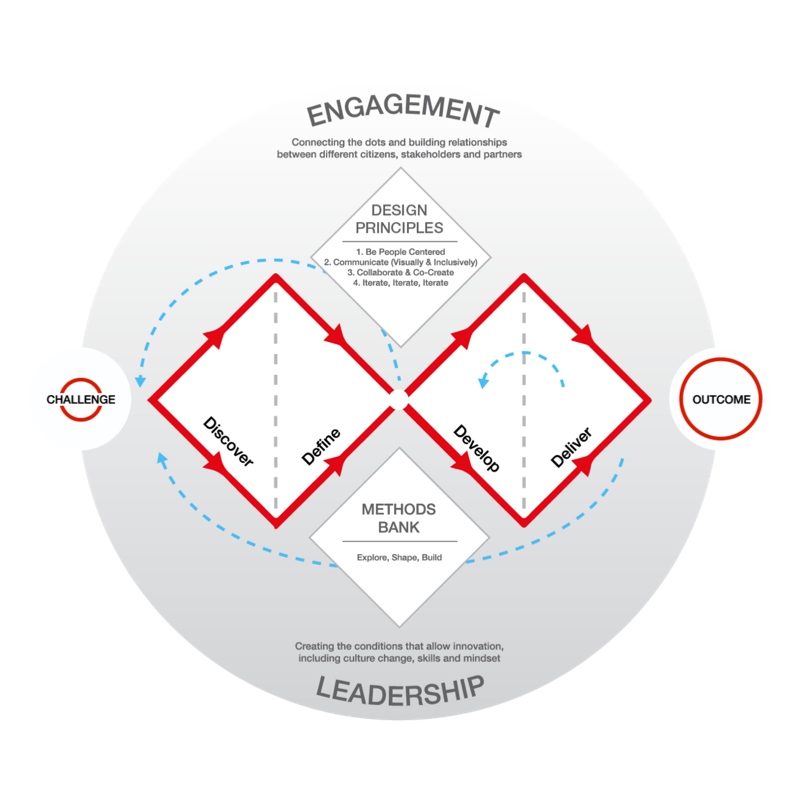
The Double Diamond process was created by the Design Council in the UK. It is an attempt to formalize a design process and make design management more explicable to non-designers.
I was actually taught a very similar process before Double Diamond was published in 2003. At CSC, we used the 4D process. In this document, I will note the differences in terminology, but the processes are roughly equal.
On this page, I will explain the Double Diamond process, give example documents of each, and share a few experiences I have had with the process.
The Double Diamond process, at its most basic level, is a start to finish and iterative process for design development. It is based on four phases, Discovery, Design/Define*, Develop, Deploy/Deliver*. As illustrated above, the diamond comes in the phases as they expand and then converge, or to put it another way, the phases innovate and then winnow.
Discovery is how the process starts. The design team needs to discover via various techniques, what the current state of any system, even if it is zero. The possibilities are wide open, and as an -expansive- step, the designer must keep an open mind and leave defining any theories for later.
Discovery is the most important step - you can't hit a target unless you define it first. I try to spend as much time and effort as possible to understand the users, their requirements, where they may conflict with the business requirements, and to define what as successful outcome.
Heuristic Evaluation: an evaluation of any existing product with an eye towards known usability and user experience rules.
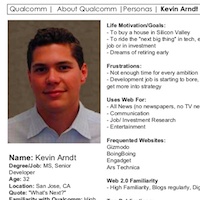
User Profiles, which leads to Personas: It is important to know your audience, sometimes black and white important. If you miss your audience, you can create the most amazing app in the world, but the user's will reject it, and rightfully so.
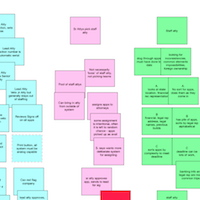
Affinity Diagram: or Card Sort, this is an effective tool to discover what information is needed by the various users, what information exists, what processes might be gleaned, and possibly identify where there are some holes in the current process (or proposed process for new apps). This takes the form of cards, each with notations on them, originally notes as they are taken, which are then sorted by process, or user, or some combination thereof, to produce a picture of what you are creating.
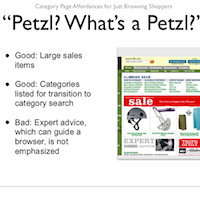
Competitive Survey: Before you make anything, you should take a look at the competitors. This will give you an idea what the best practices are, and, more importantly, where your app can supply missing functionality in order to win the market.
Task Requirements: I'm often surprised that this isn't done by a lot of companies. To me, unless you list the tasks required for each user persona and then triage them in terms of importance, the project is at serious risk of scope creap or - worse - unerdelivering.
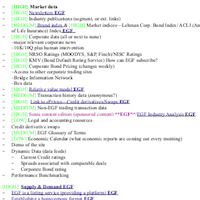
Content Inventory: Know what you have to offer, know where the holes are, hire the people to fill the holes.
Define is the reductive phase that follows Discovery. In this phase the team will make sense of the findings, and create documents to present to stakeholders for confirmation. At the end of this phase there should be a clear understanding of the user, the user's needs, and a fairly good grasp of the size of the problems to be solved.
Strategy before tactics. Always. This is where the 'bones' of a product will be created, tested and finalized before the 'skin' is applied. This is often where the most interesting work is done, especially when the product is a new app satisfying a totally unforseen need.
In a mature process, there should be an opportunity for iteration if there are still questions or doubts about any of the user needs. If there is any doubt about the scope of the possible solution, then the Define phase should be extended or repeated.
User Journey: Which users need to which tasks? This document will spell out who needs to do what and at what point. Importantly, this doc also includes notations on what information the user needs to perform a task or make a decision. I go a bit further. With an eye on the Personas, I like to note which functions and the tools to complete them may be novel to the user, and decide if they need to be simplified or explained. This will hopefully hit the learning curve target spelled out in the User Profiles.
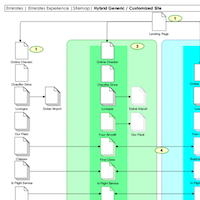
Concept Map: This short doc is often not needed, but it is a good idea to spell out original directions for the eventual interface. For example, if there is a need for reference material, is it up or down or off to the right? If there are tools for work, do they go on the left? Again, the user profile will inform this document.
New Concepts: Often, at this point of the process, breakthroughs occur, and user tasks can be radically simplified. These new ideas must be communicated to the rest of the team, especially the developers. There is no 'standard breakthrough document' but a wireframe and presentation is a good place to start. I've prepared a presentation to show how this fits into the usual process.
At CSC, the 4D process used the term Design instead of Define.
The fun part! This is an expansive iterative phase. The designer(s) should be experimenting with multiple solutions to the previously defined problems. Those solutions should be refined or discarded as they are tested. Each problem previously defined should have multiple possible solutions, which are winnowed down to a single best solution.
By the end of this phase, the design should be known. The user experience has been created, tested, and refined.
This is where preparation pays off. If you are designing with all of the above complete, you will have very few redesigns, but it is important to test - arrogance kills projects.
Block Prototype: Finally, DESIGN! A prototype is normally done in two stages, block versions and 'live' versions. In the block version, we are just fleshing out the task flow, and giving those tools size/attention based on their importance to users. This can be verified via user testing.
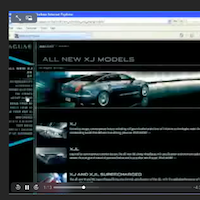
Living Prototype: this is the first interface design, complete with hooks into any backend database. This is where the interface can be tested thoroughly and adjusted. By the end of this, the interface should be complete and the UX team should be confident that the app meets or exceeds the user needs. If needed, an heuristic evaluation can be completed on this step. Example from Video Bug
Usability Test: Design is blind hope, testing opens your eyes. Usability tests should be as complete as possible given the budget. Each round of usability tests should be documented and recommendations implemented in a new design. Each round of tests will (hopefully) find smaller and smaller issues.
This is the final reductive phase. Any solutions that have been selected as best are thoroughly created and documented. All elements should be ready for handoff to developers, all tests are complete, and the final design is finished.
This is the phase for both pride and humility for designers. Proud because the design is tight and ready to roll, but humble, because your developer friends or the business folks will have a million questions and a hundred doubts. This is the time to explain your work in the best detail possible.
At CSC, the 4D process used the term Deploy instead of Deliver.
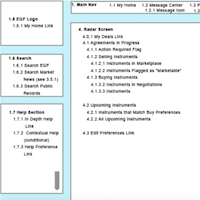
Functional Requirements: The developers will have many questions, the Functional Requirements document should answer as many as can be anticipated. The functional spec will include such small details as how many characters are allowed in a file input, how many pixels (or percent of space) between buttons.
User Manual: Yes, many UX designers won't touch this, but who knows the app and its weak points better than the one who wrote up the usability test results. One of the many things in the usability test results should be the recommendation of which widgets need to be explained in the User Manual. The user manual can take the form of either notes for a technical writer, an acutal manual, or a Help function in the app.
Although strictly speaking, this is not part of the Double Diamond process, it is advantageous to look back on both the design and the process. New design patterns are documented and encapsulated, so they can be re-used. Any rough spots in the process should be discussed and fixed for the the next design or the next version.
No project is perfect, and often, given limits of time and money mean that some good ideas get left behind. As the project is moving toward the end, it is the time to revive those ideas for version++. This is a simple document to get those discussions on paper so they don't get lost.
I am working on this as you read this, please be patient
Aesthetic-Usability
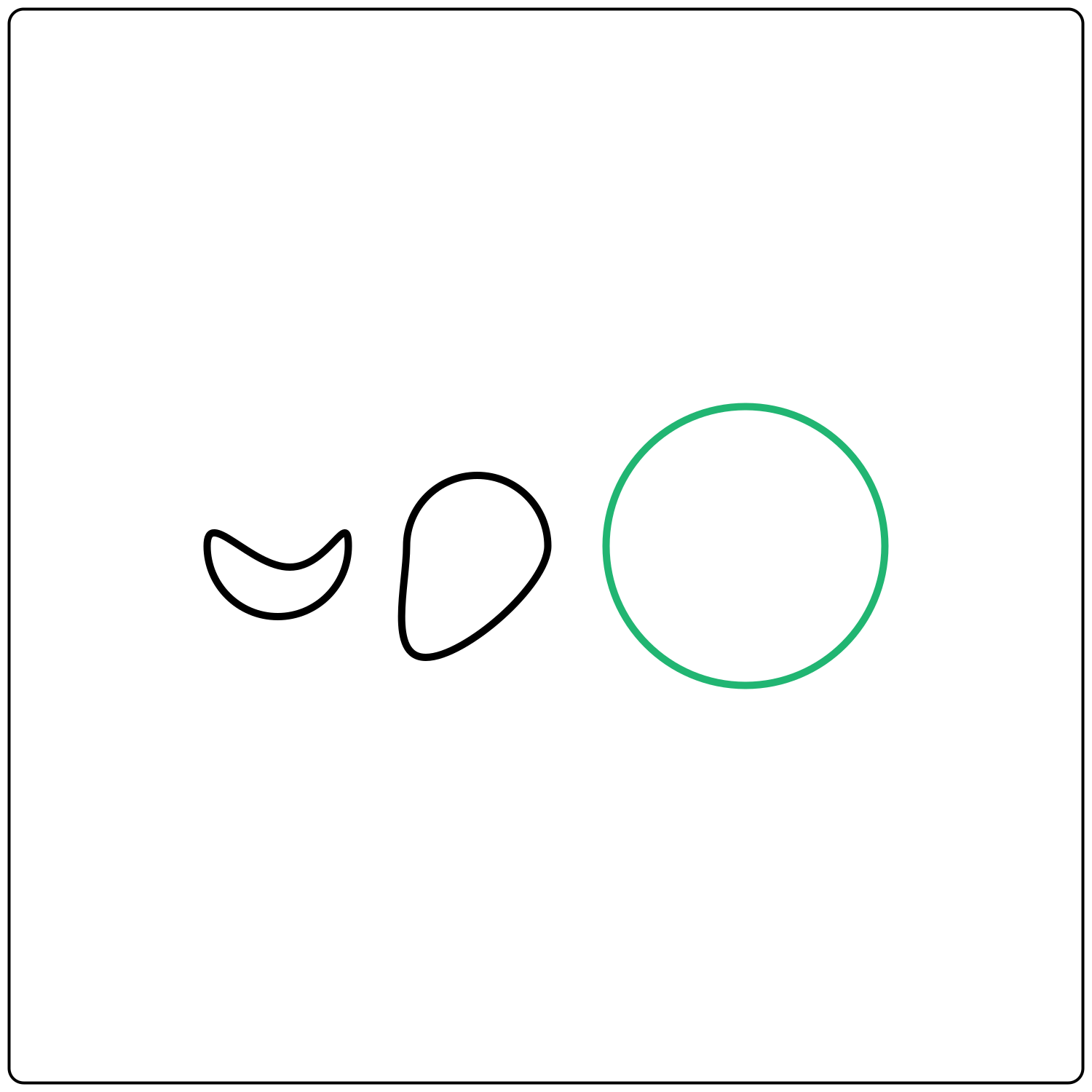
The Aesthetic-Usability Effect states that users tend to perceive aesthetically pleasing designs as more usable.
Fitts' Law
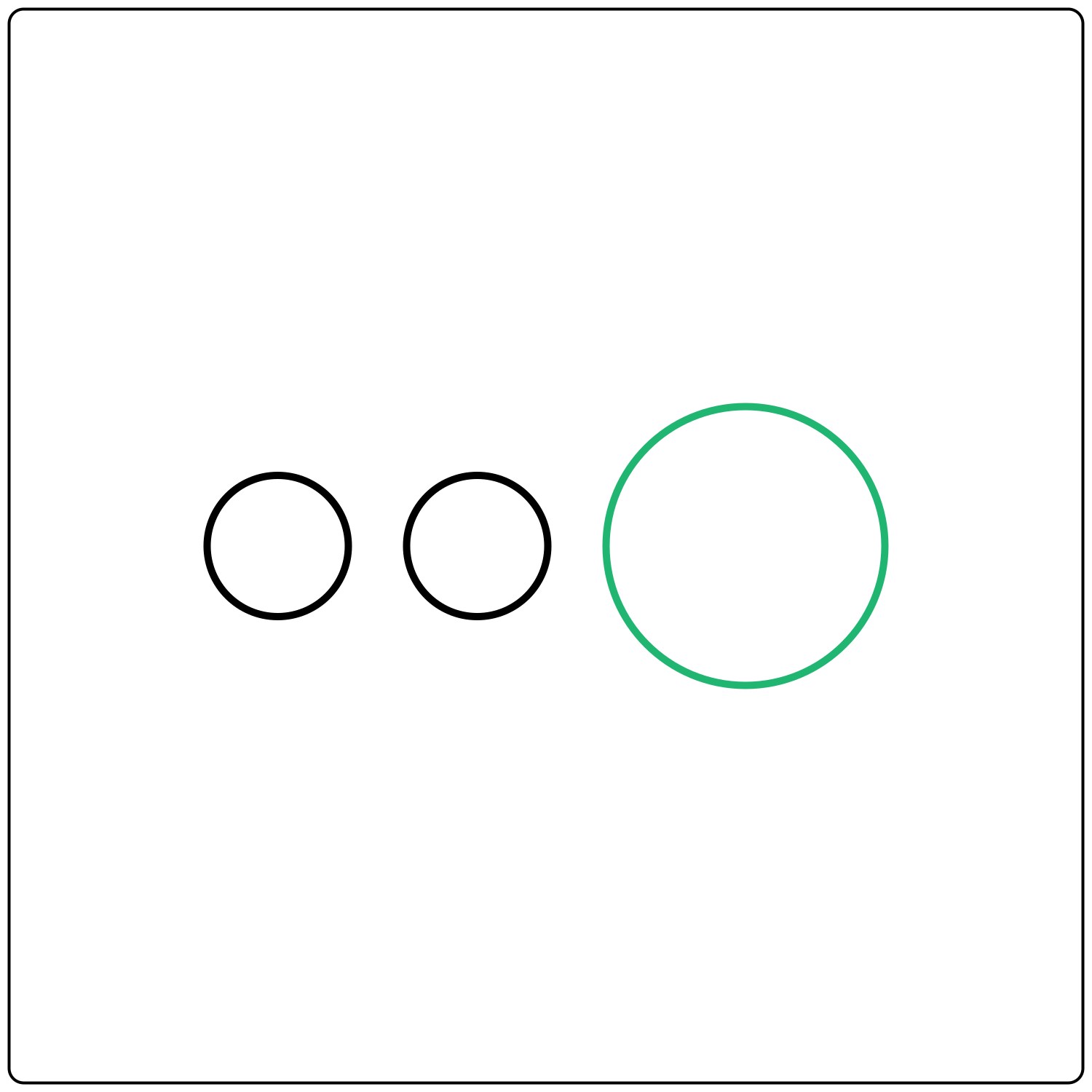
Fitts' Law considers how quickly and easily a user can reach a particular target (for example, a button) in order to interact with it.
Hick's Law
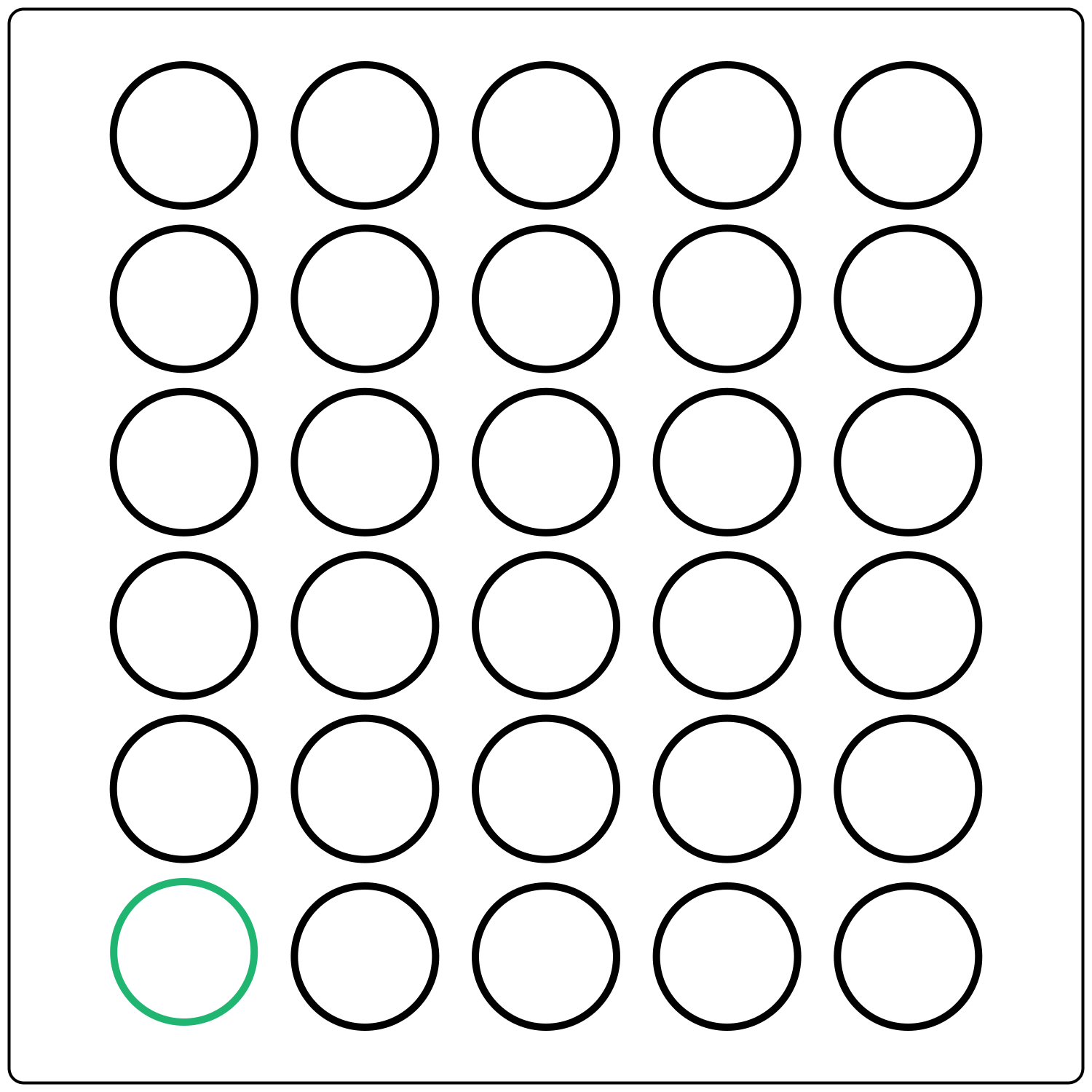
According to Hick’s Law, the more options a user is presented with, and the more complex those options are, the harder it is to make a decision.
Nielsen's Law
Nielsen's Law is all about familiarity. Users expect websites (and other digital products) to be designed in a way that’s consistent with others they’ve used in the past.
Miller's Law
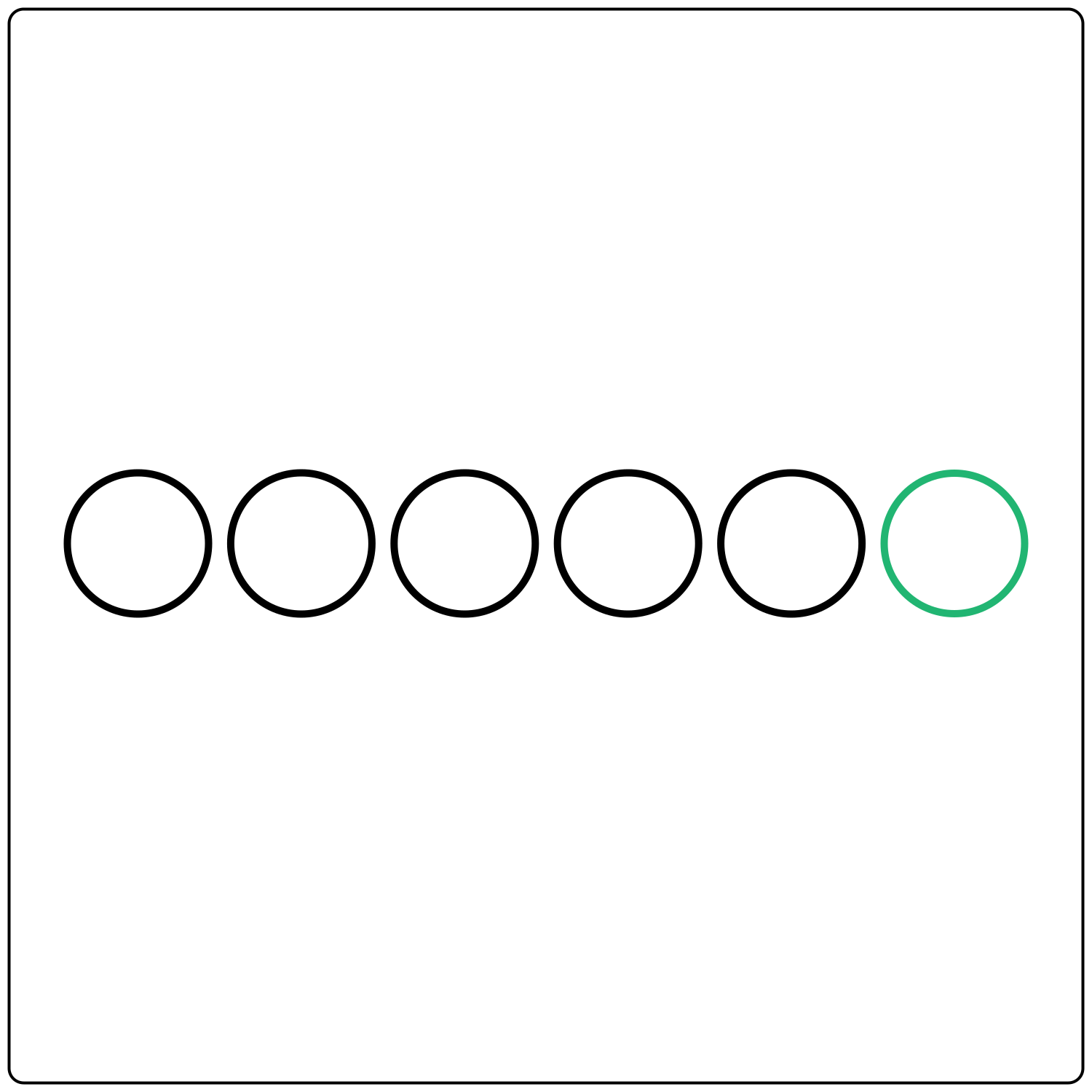
Miller's Law states that the average person can only hold 7 items in their working memory, plus or minus 2.
Parkinson's Law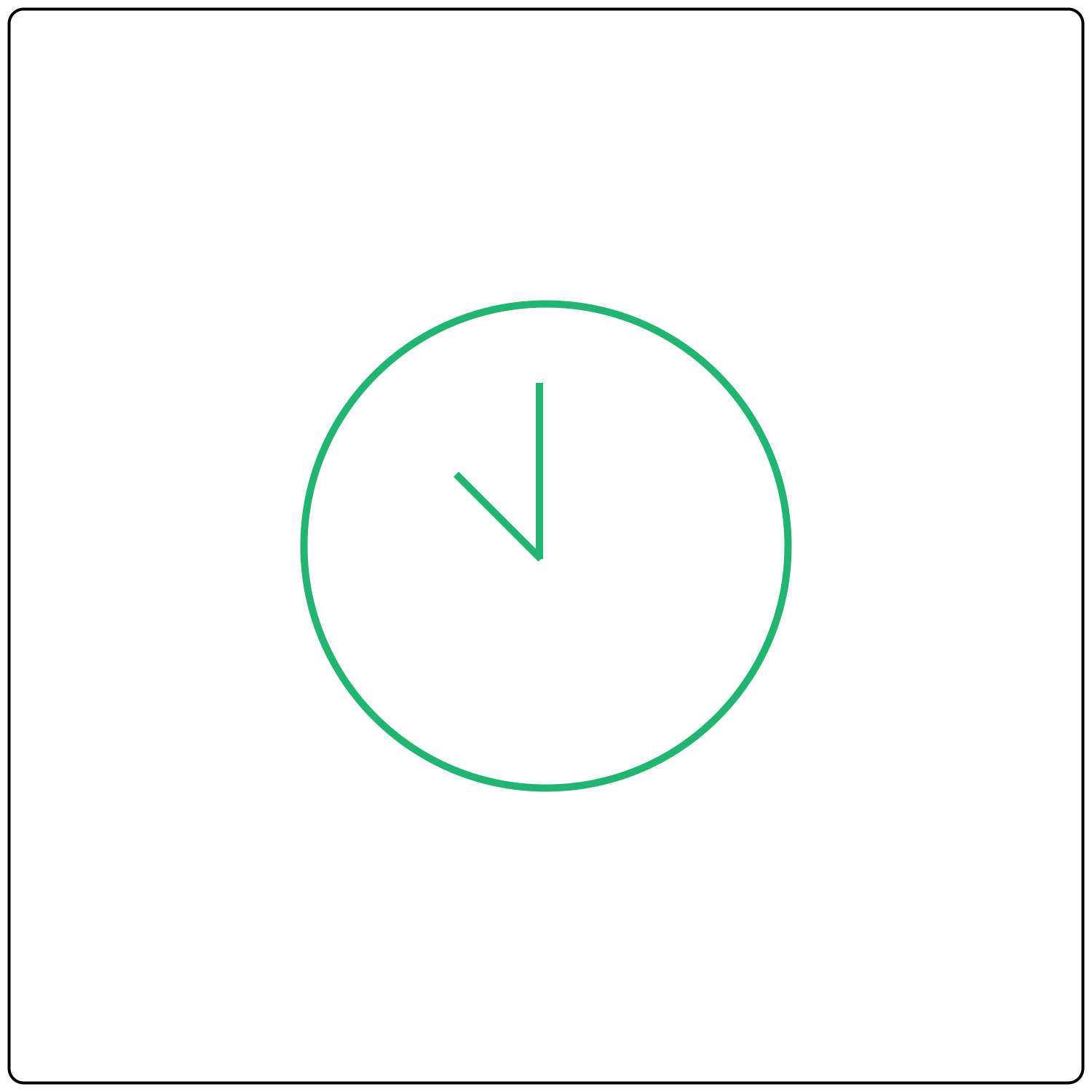
According to Parkinson's Law, a task will expand to fill the time allotted for its completion.
Common Region
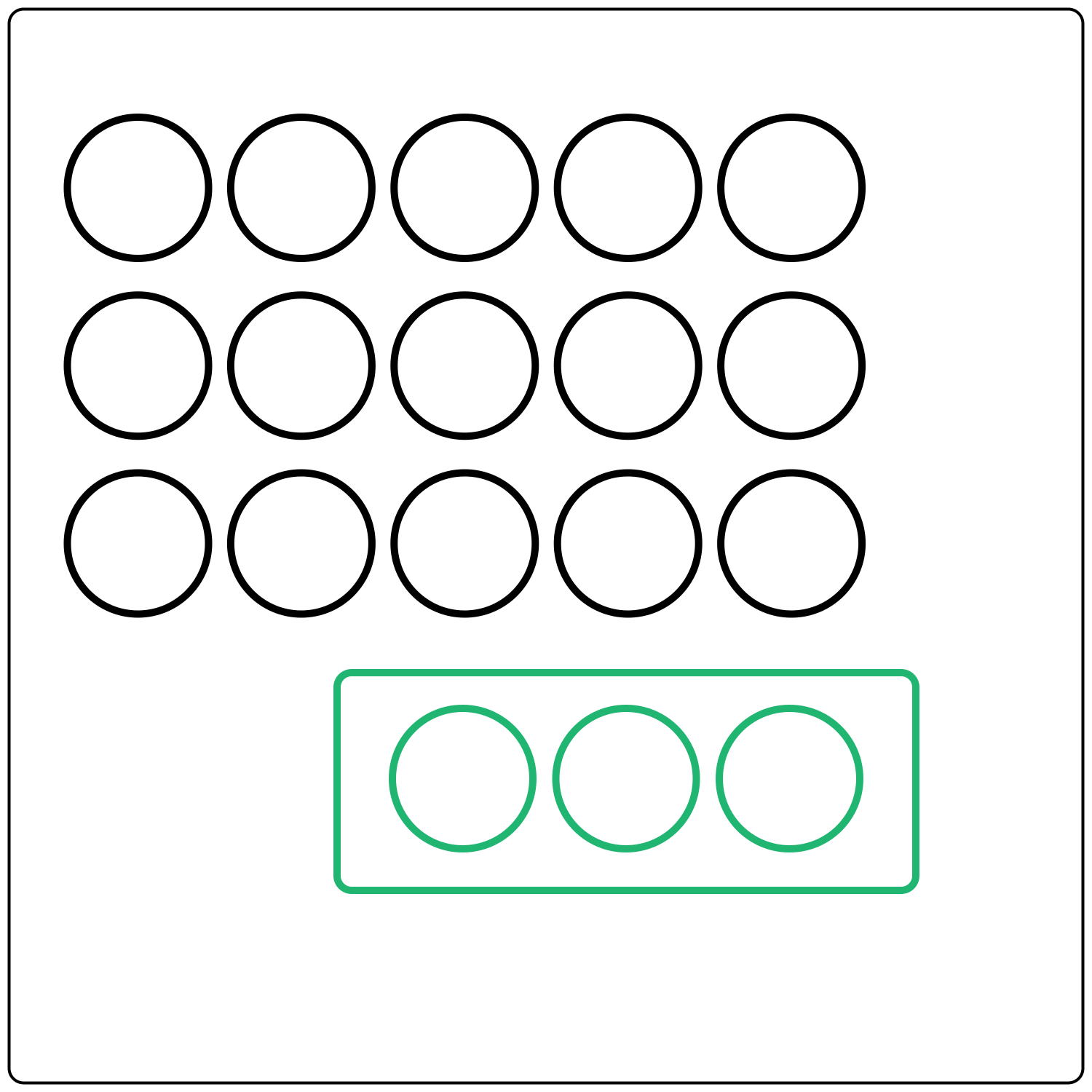
The Law of Common Region states that, when elements are positioned together in the same area—i.e. when they share a common region within a boundary—the user perceives those elements as belonging together.
Proximity
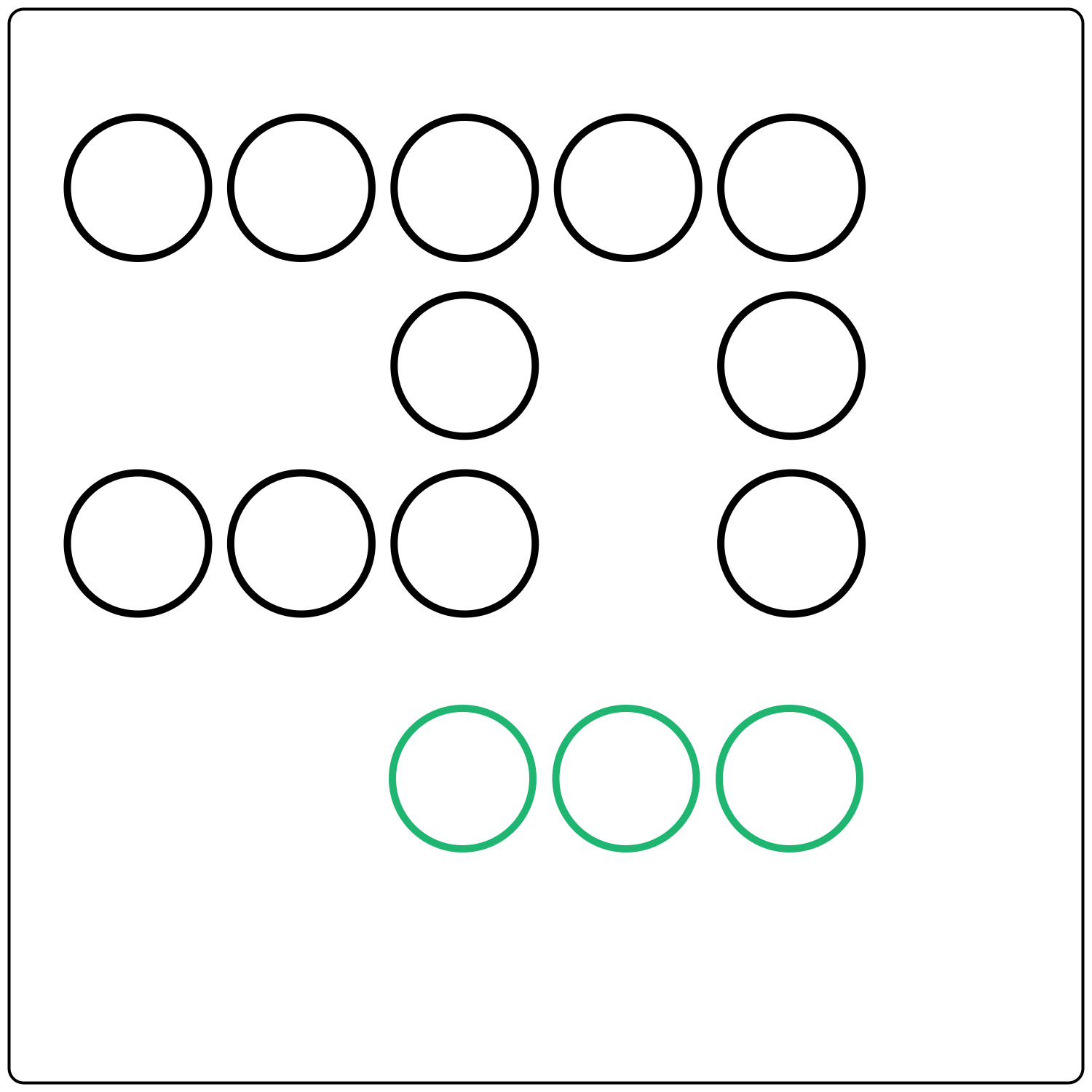
According to the Law of Proximity, items or elements that are positioned close together are perceived as belonging to the same group.
Smilarity
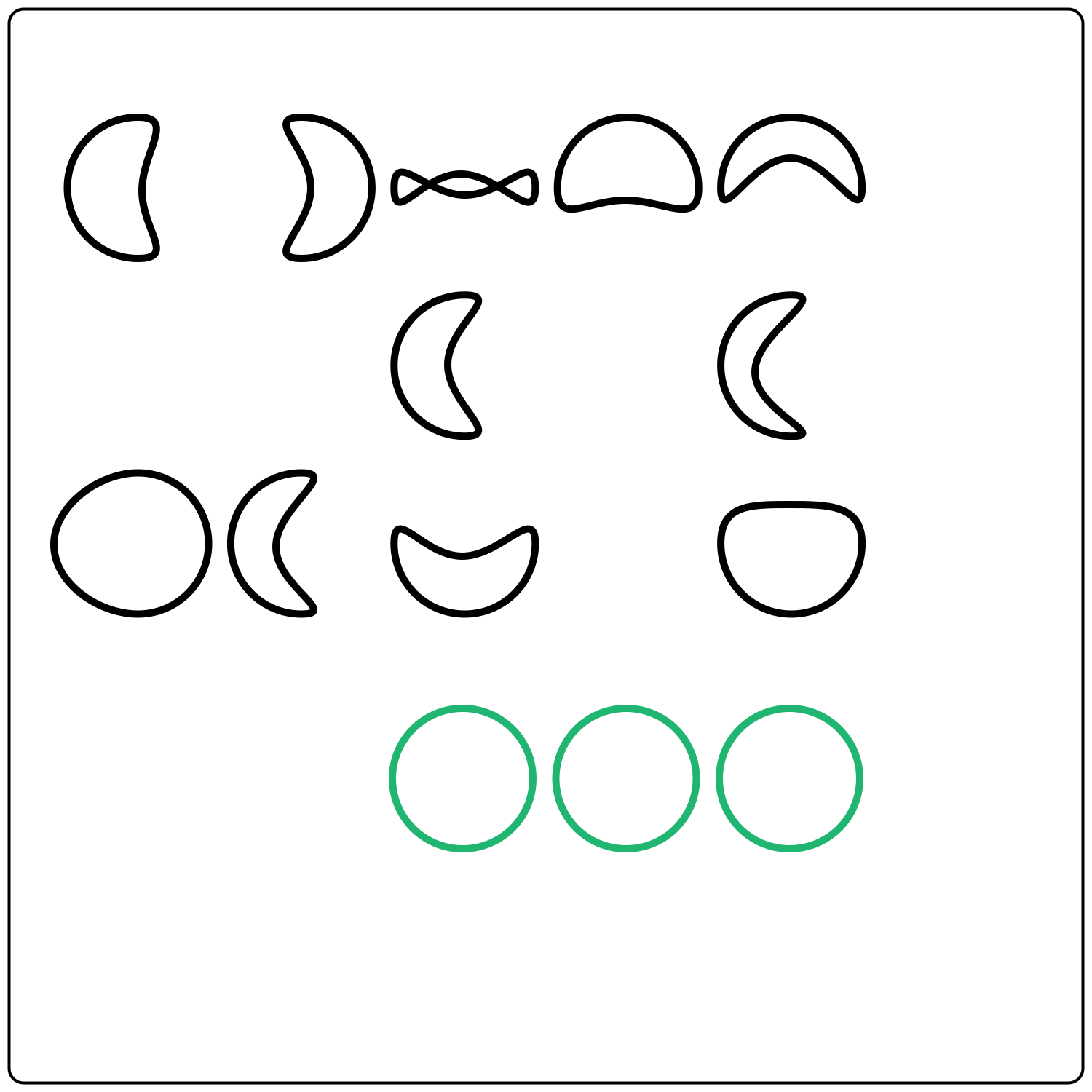
According to the Law of Similarity, elements that look similar will naturally be perceived as a related group.
Uniform Connectedness
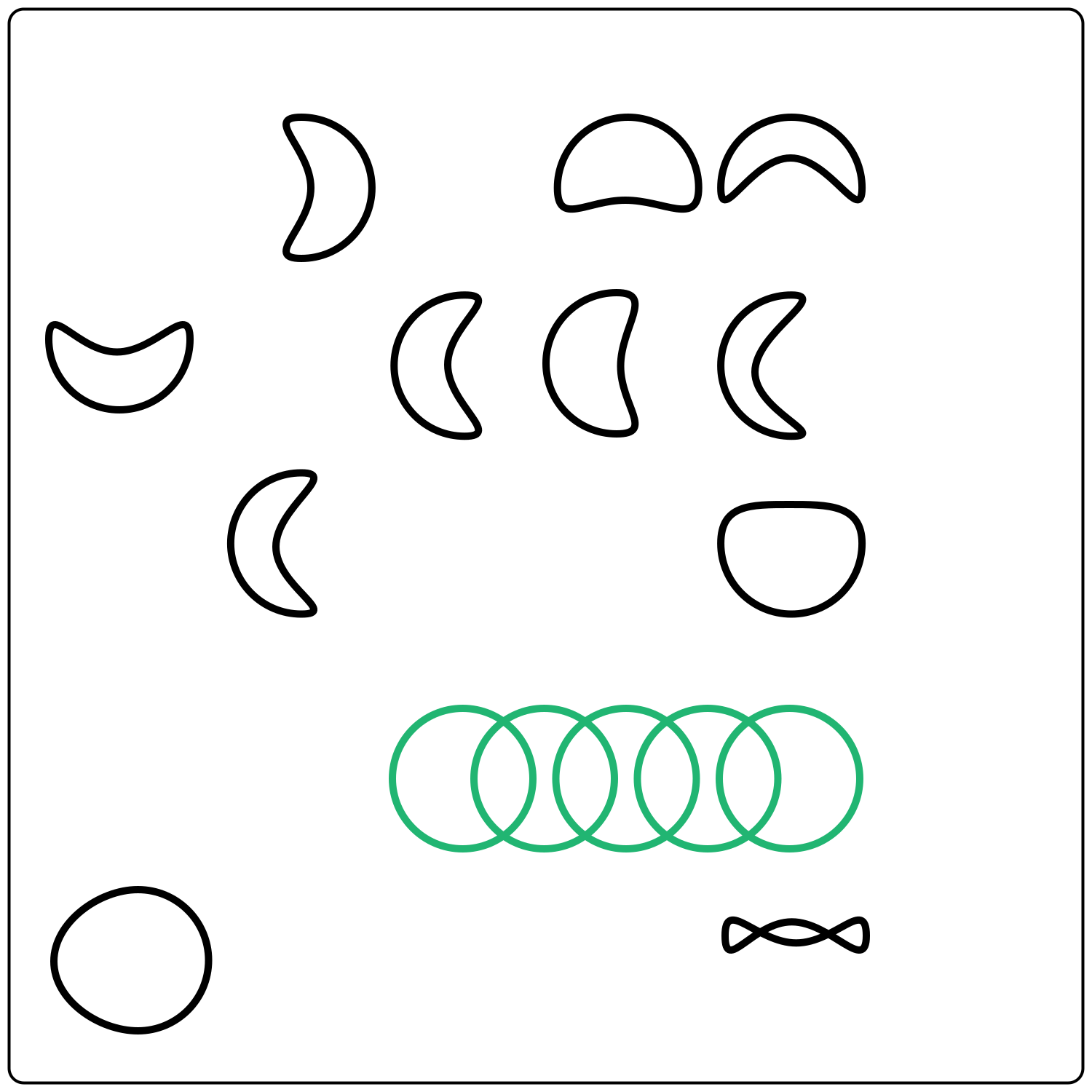
The Law of Uniform Connectedness states that when elements appear to be connected in terms of their visual appearance, we perceive them as being part of a related group—unlike visually dissimilar elements that appear to have no connection.
Pragänz
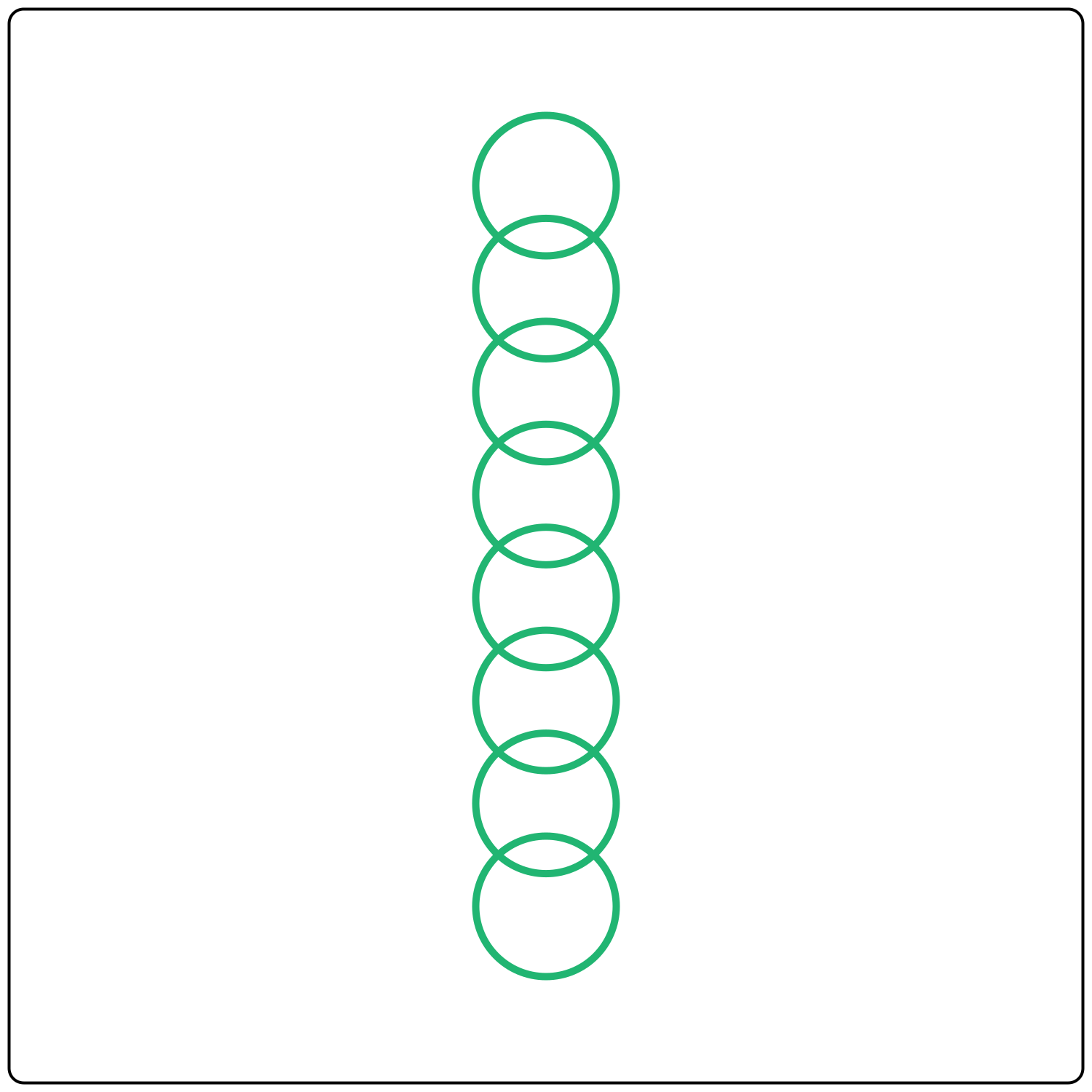
The Law of Prägnanz states that when we perceive complex or ambiguous imagery, we automatically interpret it in the simplest way possible.
Peak-End Rule
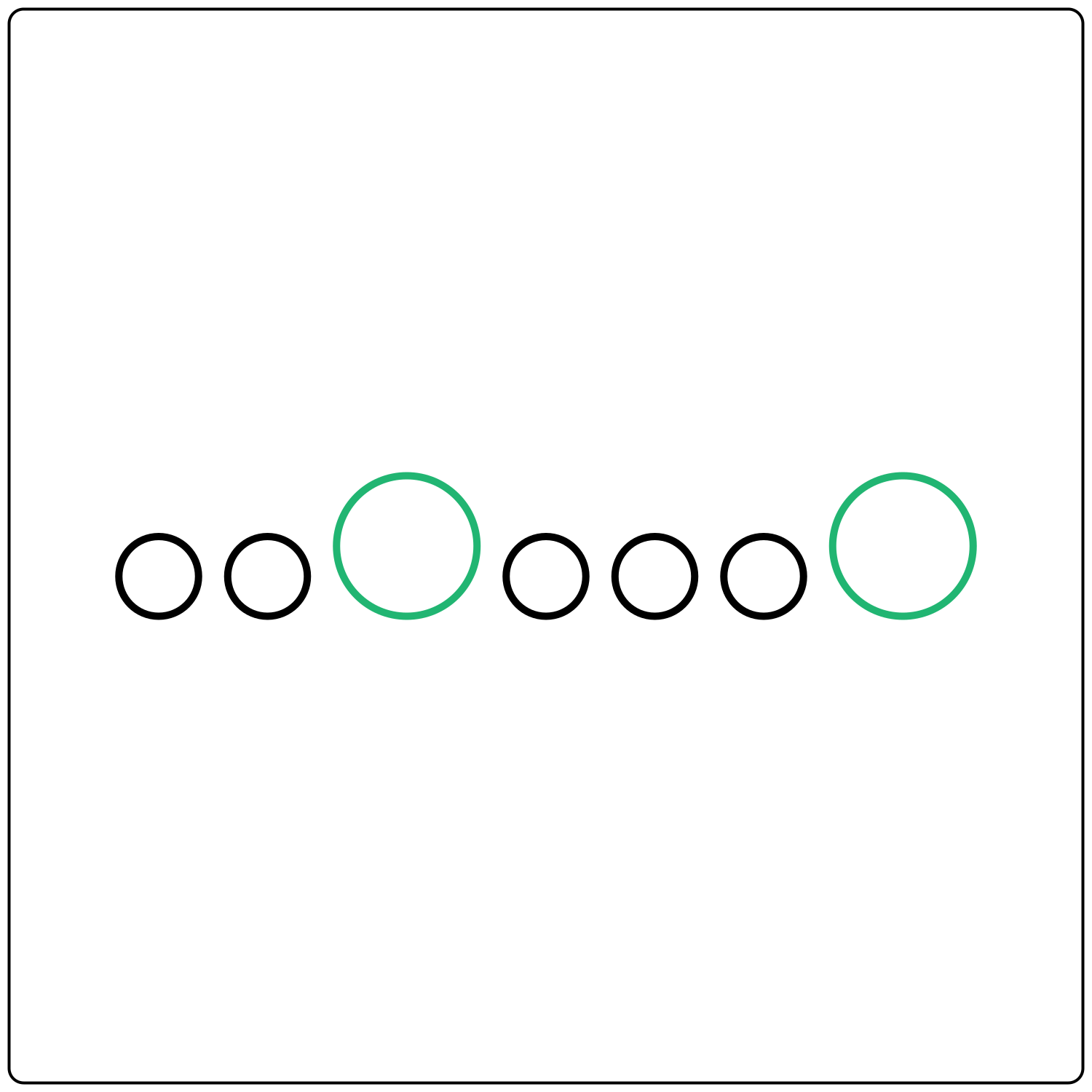
The Peak-End Rule suggests that people don’t judge an experience based on all the different moments along the way—rather, they judge it primarily based on how they felt at the peak of the experience and at the end.
Serial Postion
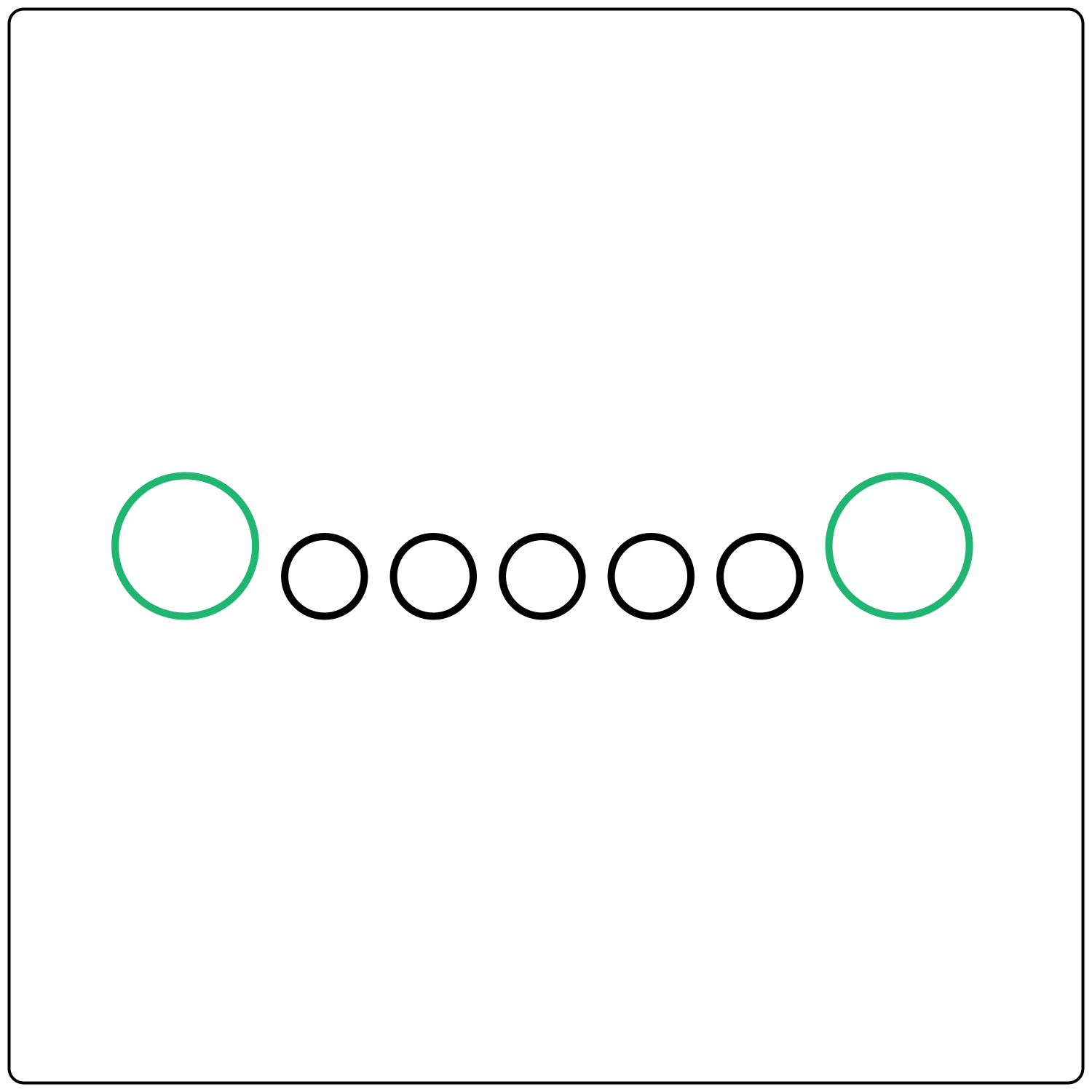
According to the Serial Position Effect, users are most likely to remember the first and last items in a sequence.
Von Restorff Effect
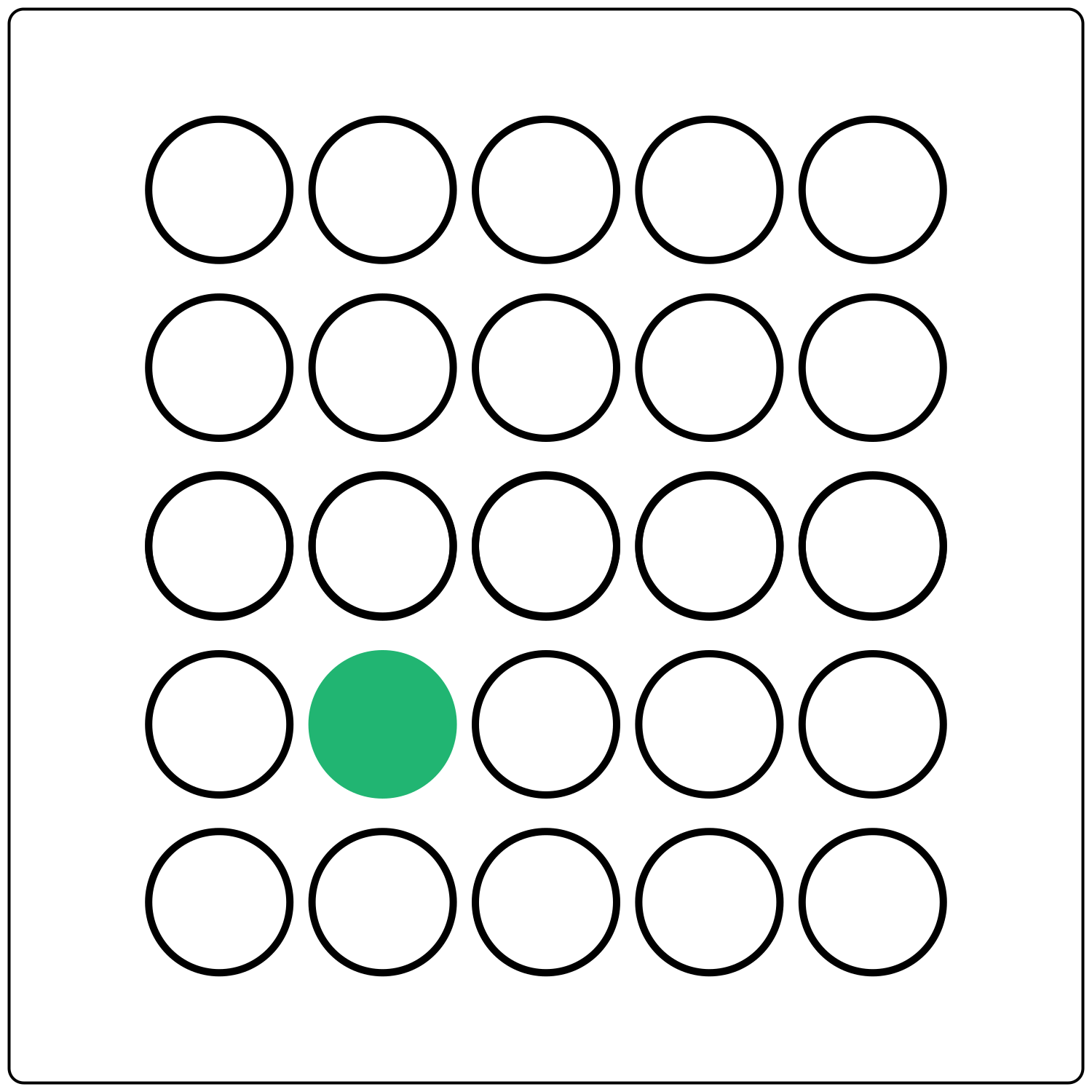
The Von Restorff Effect states that when we’re presented with multiple similar elements, we’re most likely to remember the element that differs even slightly from the rest.
Zeigernik Effect
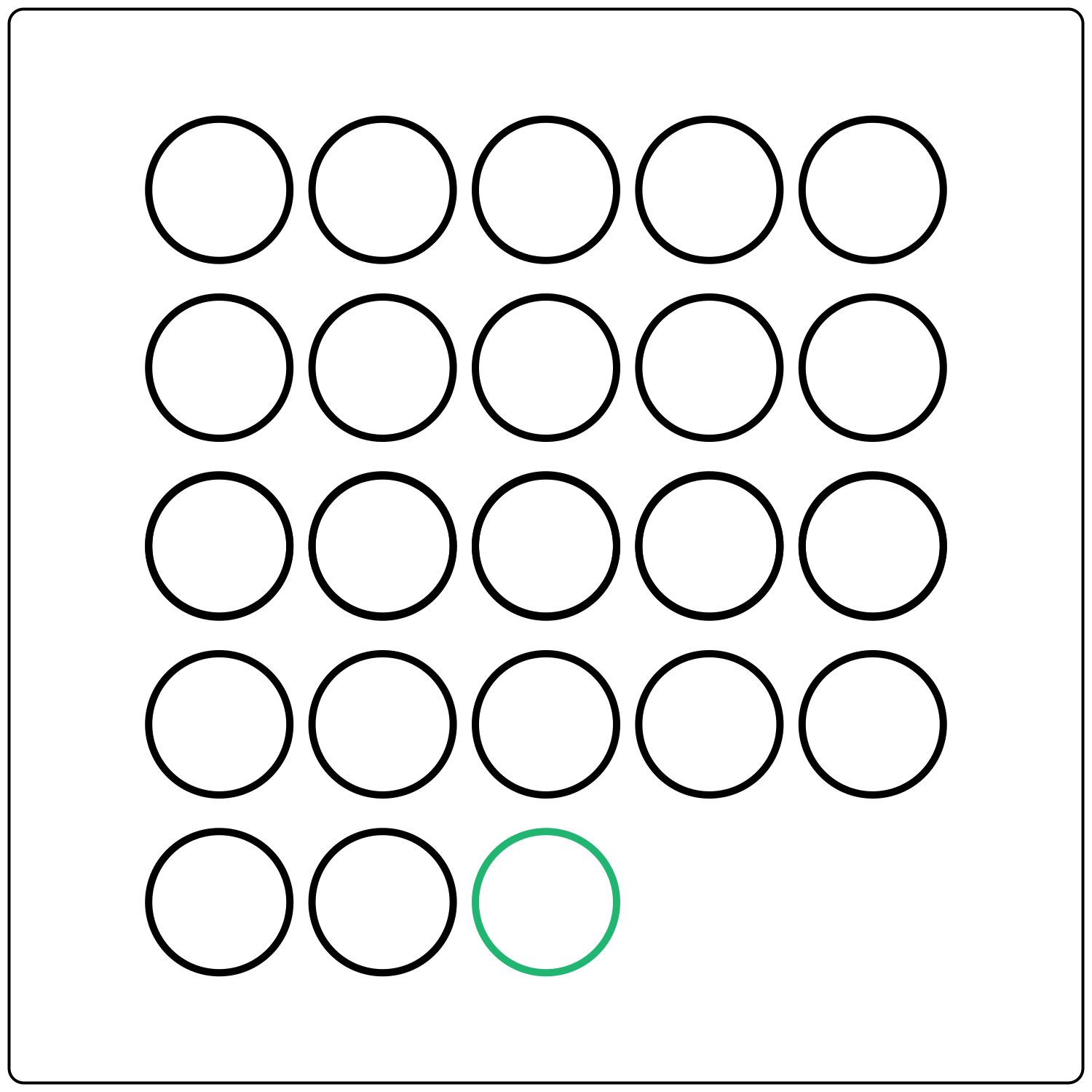
According to the Zeigarnik Effect, uncompleted or interrupted tasks stick in people’s memories more than completed tasks.
Doherty Threshold
According to the Doherty Threshold, users expect an instant response when interacting with a computer—instant being 400 milliseconds or less.
Occam's Razor
Occam’s Razor is a problem-solving principle that suggests that the simplest solution is often the best solution.
Pareto Principal
The Pareto Principle is an 80/20 rule that says that around 80% of the effects come from 20% of the causes.
Postel's Law
Postel’s Law states that you should be flexible in terms of what you accept from your users while limiting what you ask of them.
Tesler's Law
According to Tesler’s Law, every system has a certain degree of complexity that cannot be reduced.
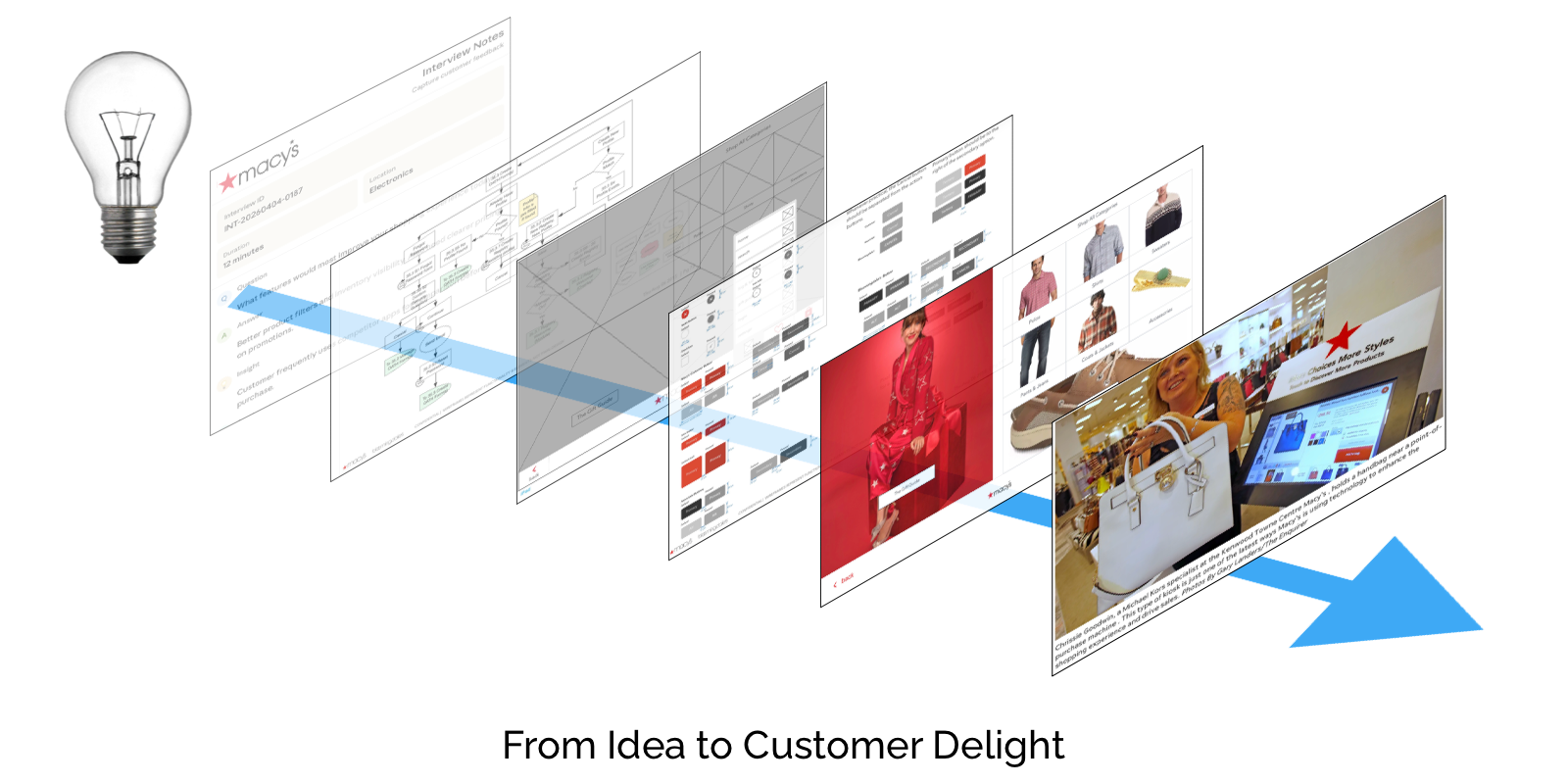
My name is Chris Nordling, I specialize in simplifying complex e-commerce systems and SaaS apps, focusing on usability, structure, and guiding user behavior to create experiences that work delightfully.
My goal is always to make complex experiences so intuitive the user does not realize they have learned new interaction patterns. Macy’s and Bloomingdale’s Digital-in-Store app is an example of my work that is a very specific design - a series of touchscreen kiosks with multiple potential visual designs - but it shows how complexity in design can result in simplicity in user experience.
Macy's is an awesome company with multiple bricks-and-mortar stores. It is also an awesome e-commerce company with millions of online users from all over the world. Macy’s was trying to bridge the IRL stores and the e-commerce store so the user could shop seamlessly in any venue. This series of kiosks and handheld devices bridged the final gap.
Macy’s wanted to maximize the investment in the hardware by creating polymorphic software that could work inside Macy's, Blomingdale's, and could also be customized for specialty stores (jewelry, shoes, Lids, etc.).
Macy’s also wanted to minimize the customer learning curve by offering all the discounts, coupons, sales, and other elements that affect prices. In addition, Macy’s associates often work on commission, so to ease uptake, the in-store app had to accommodate associate logins so the sales in their area were credited to the associates. Also, the kiosks had to merge bags from online, associates, and customers, each of which had different rules.
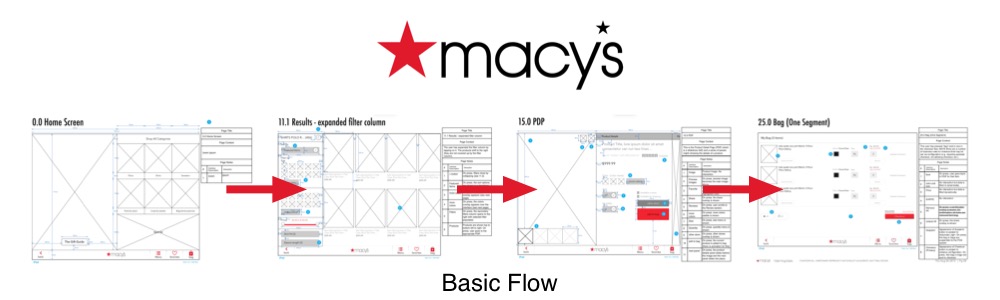
The e-commerce standard Home → Category → Product Detail Page → Bag user flow would be the base, but the user flow resulting from all the requirements would be a bit more complex.
In addition, the designs for each of the properties of Macy's had radically different visual designs. Macy's is red, Bloomingdale's is black and fuschia, and Macy's Wedding Registry is a lovely pastel green. To add insult to injury, Lids is dark blue. There was very little in common between the companies.

To accommodate - and maybe expand - Macy’s "Endless Shelf" initiative, I looked at the digital-in-store as a fully integratable constituent of that initiative. The system would stand on its own only as necessary, instead defaulting toward an experience at which the kiosks/Associate iPads/ displays at Macy’s would be a subset of the overall Macy’s design. Visually, it would be indistinguishable, but in function, because of the gesture support, the interaction would be subtly different.
Futhermore, the overall "Endless Shelf" initiative main goal was to make shopping online and in-store indistinguishable. Shopping, Purchasing, and Delivery would be available from all platforms to all customers. This necessarily meant that the kiosks were going to be an interim step, until the integrated in-store app mode was available. At that point, the kiosks would be secondary and the large display screens (with their inherent privacy issues) would be put into place. In practical terms, this meant a strategy that was fluid.
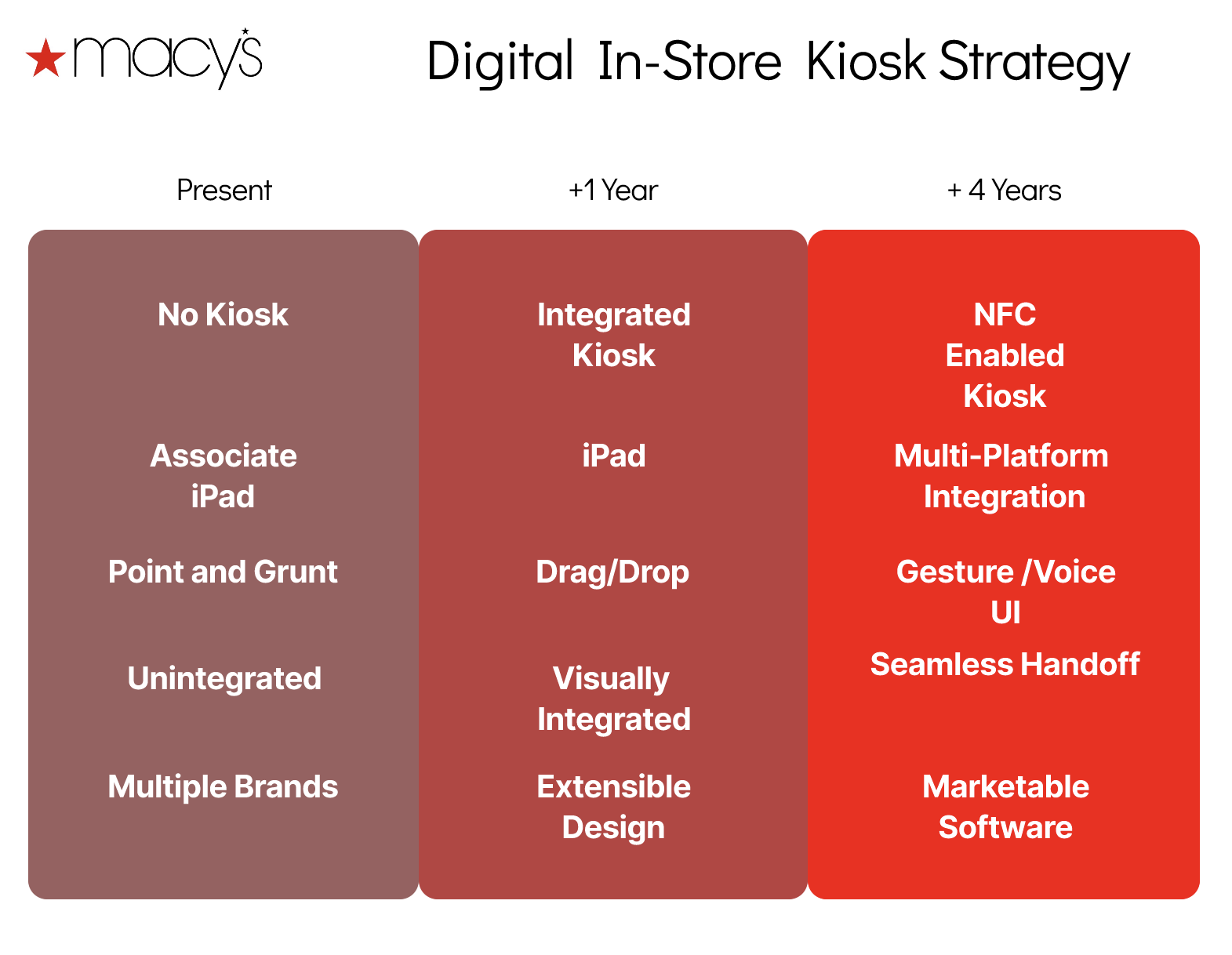
The solution to the multiple faces of the app was solved by creating a core experience, which would accept designs, handle the basic structure of the app, yet still allow for new pages and user flows to be added as needed. Outside of the core pages, new pages would be designed using the same components and the same design system.
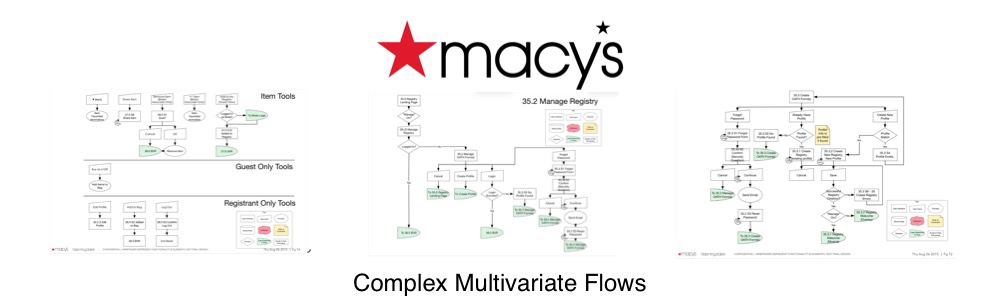
The solution to the complexity inherent in multiple interfaces, I decided to map all of the user flows, find the common elements, find the key differences, and then map all of these. I then worked with multiple parties involved and hashed out the user flows for each face of the app (and future versions) and created an administrator screen that let the owners pick the face, the specific user flows, and other preferences. This created a system that was fully customizable and easily implementable in the stores rather than requiring an onsite administrator whenever the kiosk was deployed.
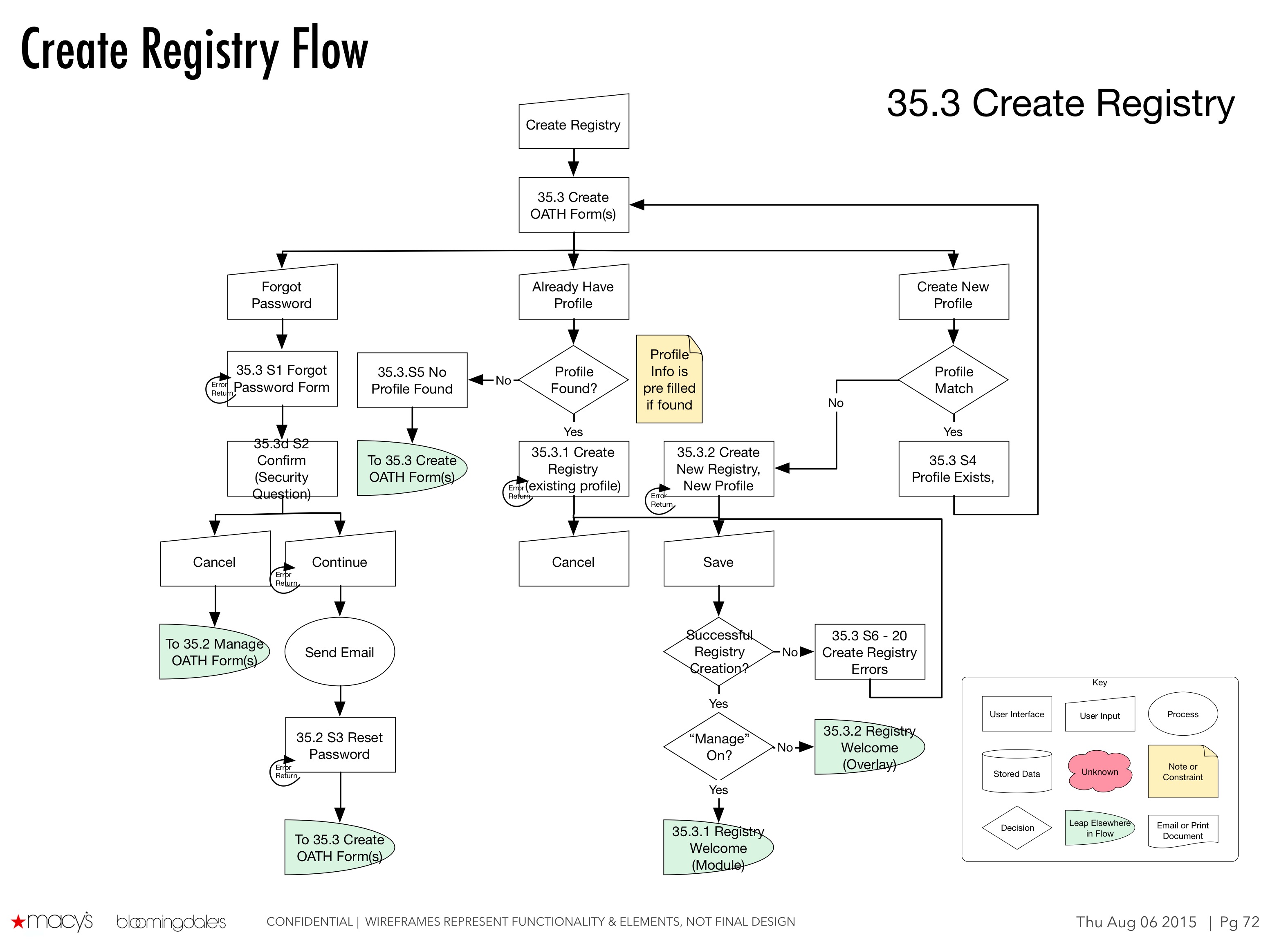
This is a technique I first explored at Microsoft, which was a bit more basic wherein the admin was able to choose 'user masks' (a term borrowed from Unix sysadmins) to set up a basic set of processes for each user group.
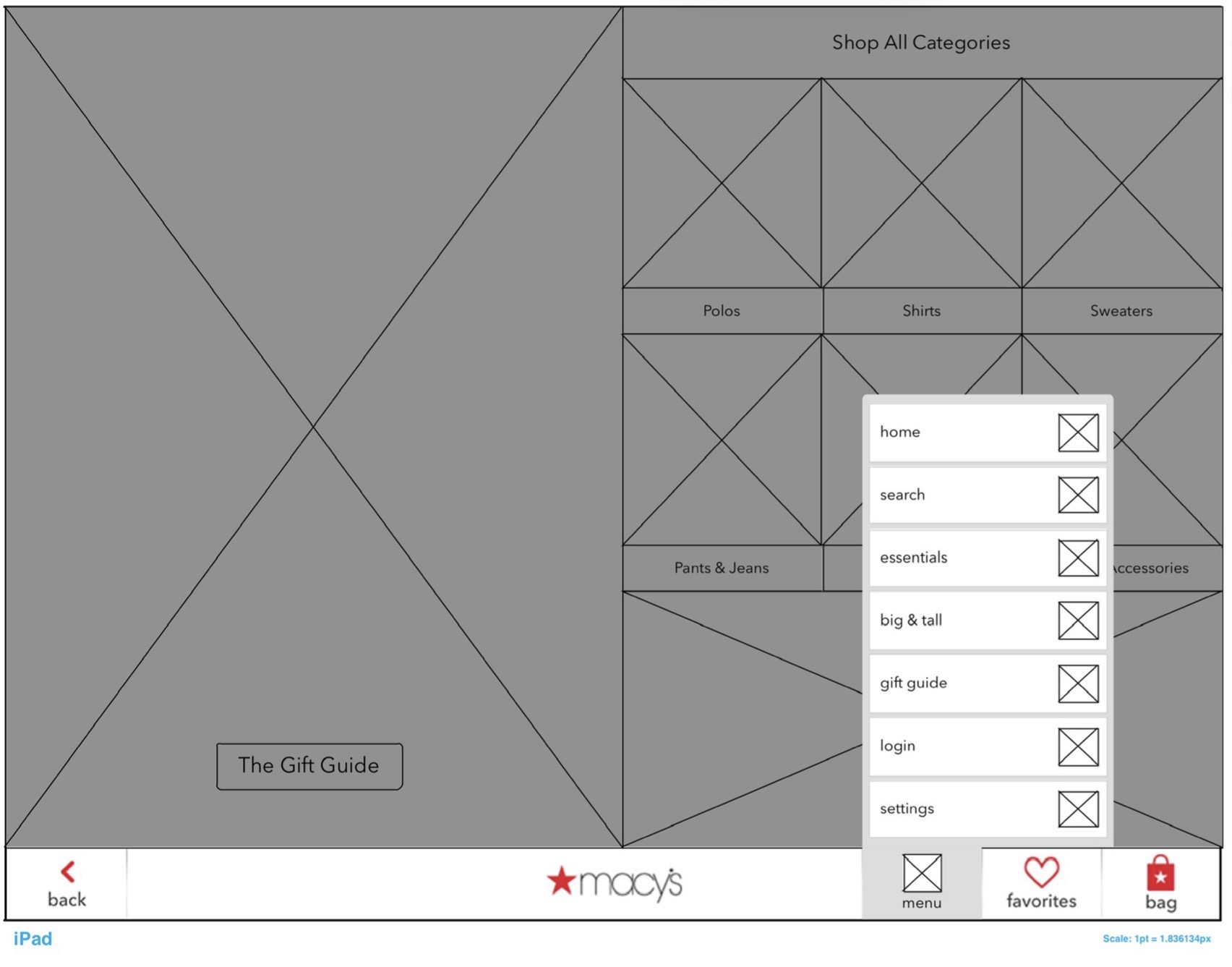
The entire design was created as placeholders and boxes, mapped to the various user flows. As a standard practice, each of those elements were given a lower case letter designation, and each of the screens was given a number - 0.0 for the landing page, 15.0 for the PDP, etc. This allowed the developers to work on discreet screens, put them together as blanks, load them into the system, and then separately link them into a flow. Each flow was then descriptively named, and the admin was allowed to pick and choose which flows they wanted for their version. A shoe store could skip the Registry, choose 'Macy's style and register their various users.
One of the admin preferences was the capability to choose the design. By default, the kiosk was set at standard Macy's mode, but the admin could choose from one of several designs.
In addition, the admin could choose specific categories of products, so a shoe store could choose to start with shoes, for example. See this example Men's Department Figma Recreation.
Although it was not implemented when I left Macy’s, there was also a design for a 'aspect ratio' preference. This was designed for the ultimate transfer of the digital in-store apps to larg, often vertical, interactive screens. This simple radio preference extended the life of the investment.
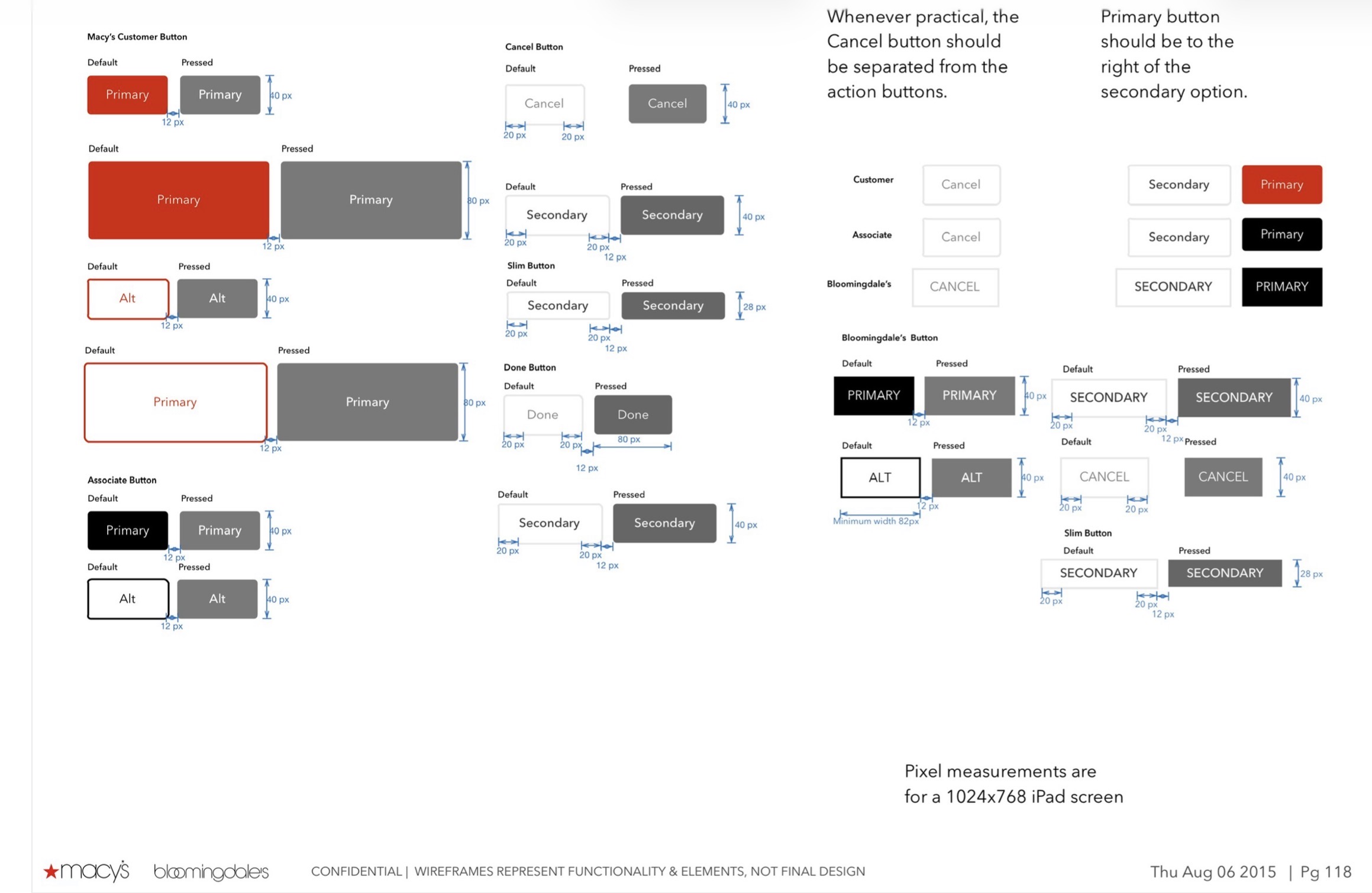
The admin screen was simplified as much as possible, to lower the learning curve and avoid mistakes.
There was a concern early on that the associates would be hostile to the DiS as it could take commissions from them. This was solved by allowing the associate to login, adding a third user to the system (after admin and customer). In practice, it was discovered that the more ambitious associates were logging in early in the morning while others were ignoring the kiosk, allowing a single associate to gain commissions for the entire day, but this was deemed an acceptable risk.
Once a prototype was built, I conducted user testing which went well, with a few adjustments, but no major flaws. This was expected, as much of the app was based on Macy's design systems.
Success! The DiS was implemented in Macy's, Bloomingdale's, and Lids stores, and planned for Blue Mercury. Once that was well received and publicized as a part of Macy's Omnichannel strategy. The design was later extended to POS systems, and was the core of the in store shopping mode for the Macy's and Bloomindale's apps.
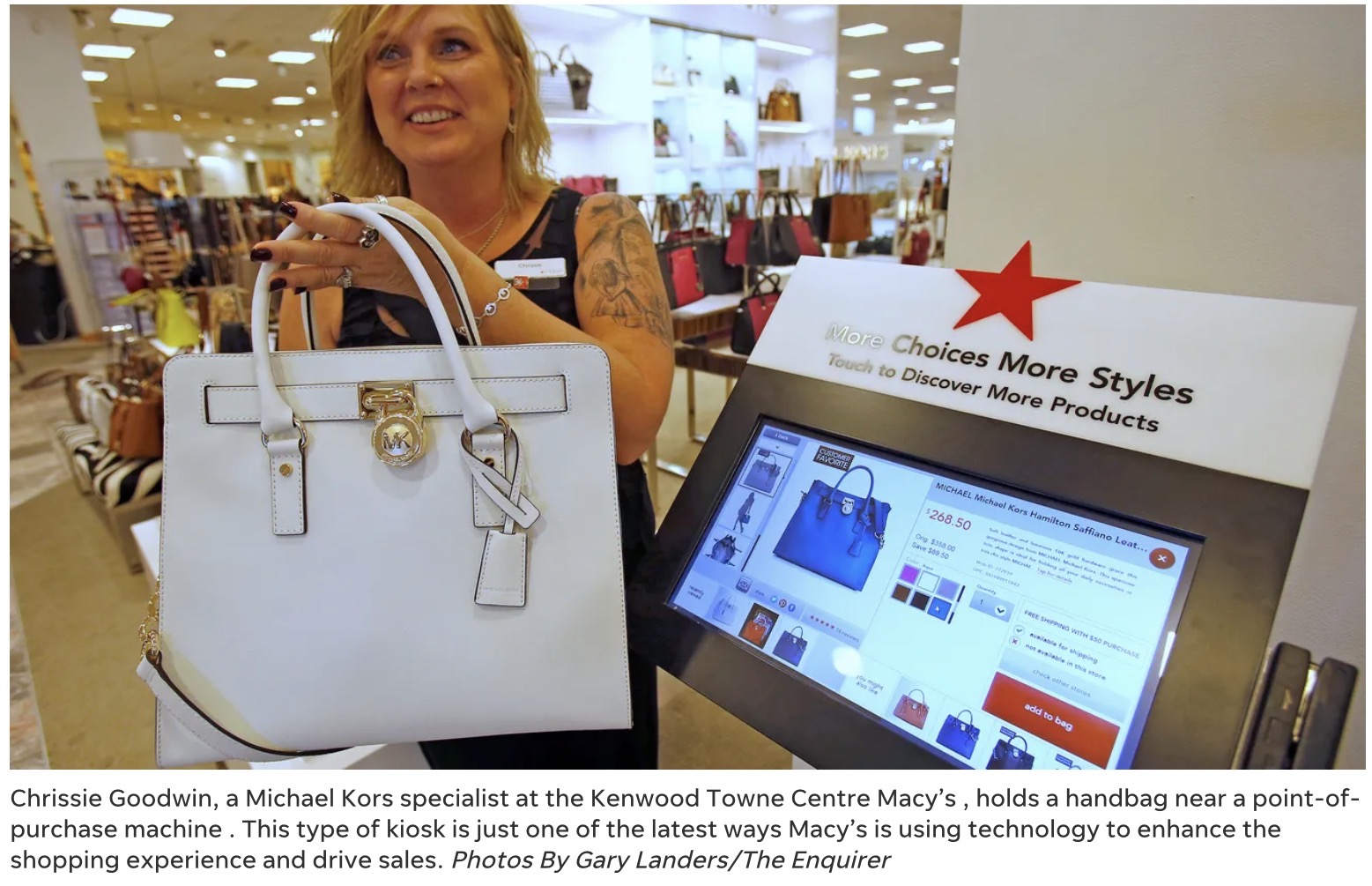
There were a few hiccups when 200 kiosks deployed across the country (a glitch allowed one customer to buy multiple designer bags for $7!), however, there were no significant costs in training when the kiosks were installed. This is significant as Macy's faced union pushback for in-store shopping from their associates. Just as important, Macy's had a differentiator when competing with Amazon.